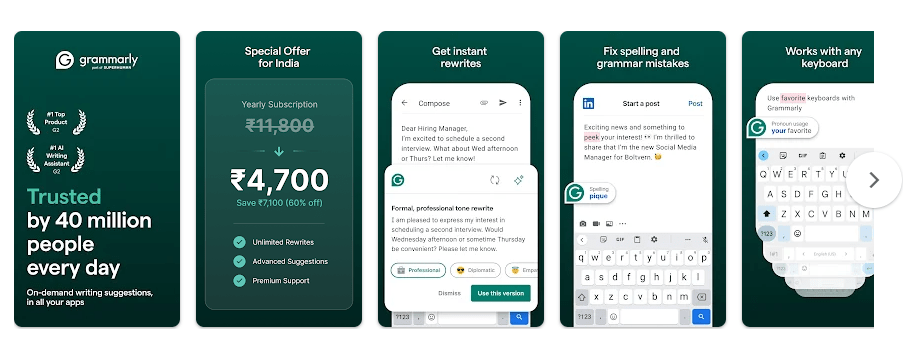
Grammarly for Android is a writing helper that works while you type on your phone. It checks spelling and grammar and gives suggestions to make your writing clearer. It can work in many apps where you enter text, such as messages, emails, and social apps.
This can be useful if you often make spelling mistakes or want your English to sound better. You do not need to copy your text into a separate editor each time.
The Android version also has a companion app for settings, language choices, blocked apps, and local drafts. Grammarly currently supports Android 9 and newer.
How It Ran During Testing
I tested Grammarly on a Redmi Android phone for two days. The app opened quickly, and the settings screens responded well when I tapped different options.
Typing in supported apps felt normal during regular use. The Grammarly suggestions appeared while writing, and I did not notice major keyboard lag during simple messages.
Battery use was not a big issue during short typing sessions. The phone also stayed at a normal temperature while I used Grammarly for regular messages and notes.
I did not see a major visual bug or crash during the test. Still, Grammarly needs to run as an Android accessibility service, so phone settings can affect how well it stays active. Grammarly also has support instructions for Xiaomi phones when permissions or background settings stop it from working.
Top Features
- Grammar Checking: Grammarly checks your writing as you type. It can point out grammar and spelling problems and show suggestions you can tap to use.
- Spelling Help: The keyboard can spot common spelling mistakes while you write. This is handy when sending messages or writing emails on a small phone screen.
- Writing Suggestions: Grammarly can suggest changes that make sentences clearer. Premium users get more suggestions for vocabulary, tone, word choice, and formality.
- Personal Dictionary: You can add words to your personal dictionary so Grammarly does not keep marking them as spelling mistakes. This can help with names or special words you use often.
- Blocked Apps: You can choose apps where Grammarly should not appear. This gives you control over where the writing helper runs.
Storage & Privacy Details
The Google Play listing does not give one fixed download size in MB for every Android phone. The actual space used can change with the app version, device, and stored app data.
You can check the exact storage on a Redmi by opening Settings > Apps > Grammarly > Storage. Cache and temporary data can make the amount increase over time.
Alternative Apps
Grammarly can be compared with Gboard and Microsoft SwiftKey. Gboard is a general keyboard with typing, voice input, translation, and other tools, while SwiftKey focuses on keyboard customization and word prediction. Grammarly puts more attention on grammar, spelling, and writing suggestions. Grammarly is free to install, while some advanced writing features require a paid plan.
Strengths and Weaknesses
Pros
- Checks grammar while typing
- Helps with spelling
- Works across many supported apps
- Useful writing suggestions
- Settings are easy to change
Cons
- Needs special Android permissions
- Some features require Premium
- May not appear in every app
- Online features need internet access
- Not a full document editor on Android
Who Should Get This App?
Best Fit
- Students and users who often write in English.
- People who send many emails, messages, or social posts.
Worst Fit
- People who only want a basic keyboard.
- Users who do not want to give an accessibility service permission.
Common User Questions
Does Grammarly work with other keyboards?
Yes, Grammarly for Android can provide writing help while you use your system keyboard or another supported keyboard.
Can Grammarly work in every Android app?
No, Grammarly can be blocked in certain apps and may not work in some financial, medical, or streaming apps. You can also manage blocked apps from the Grammarly companion app.
Can I use Grammarly without internet?
Some basic language work uses models stored on the phone, but deeper checking can use Grammarly’s online service. For the full writing experience, an internet connection may be needed.
Offzack Verdict
After two days on a Redmi phone, Grammarly worked well for normal typing and gave useful writing suggestions without major lag or heating. It is a good pick for people who want help with English writing, but the special permissions and Premium features are worth checking first.
Download Grammarly App from Google Playstore
Final Scorecard
- Ease of Use: ★★★★☆ — The suggestions are easy to understand, and the main settings are simple.
- Performance: ★★★★☆ — Typing stayed responsive during normal testing with no major crash.
- Features: ★★★★☆ — Grammar, spelling, writing suggestions, personal dictionary, and app controls cover common needs.
- Privacy & Safety: ★★★☆☆ — The app needs accessibility access and Google Play lists data collection and sharing.
- Value for Money: ★★★★☆ — The free version is useful, while Premium adds more writing suggestions.
- Overall Rating: ★★★★☆ — Grammarly is a practical writing helper for Android users who want better English while typing.