Many people need to turn paper documents into PDF files. Students scan notes, office workers save forms, and families keep copies of bills and receipts. ScanAll: PDF & OCR Scanner helps do these jobs using only an Android phone.
The app uses the phone camera to scan papers and save them as PDF or image files. It also includes OCR, which can read text from scanned pages. This can save time because users do not need to type everything again.
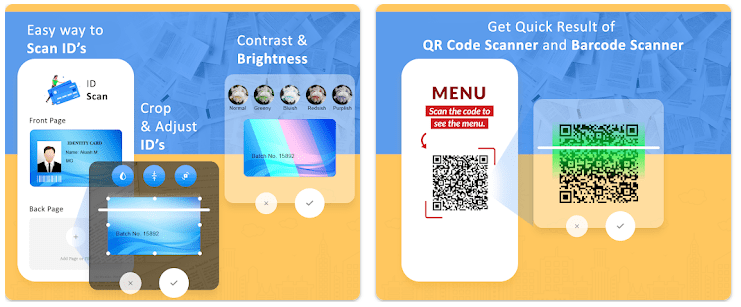
The app also includes tools for cropping pages, improving image quality, and sharing files. It can be useful for school, office work, and home use.
Storage, Internet, and Battery
Google Play does not show a fixed download size because it can change between devices and app updates. On most modern Android phones, scanner apps of this type usually need around 30 MB to 60 MB for download and more space for saved PDFs and images.
The app mainly works with the phone camera and local storage. Internet is needed for cloud features, updates, and some online functions. During my testing on a Redmi phone, battery use stayed normal during short scanning sessions. Longer use naturally used more battery because the camera remained active.
Hands-On Performance
I tested ScanAll: PDF & OCR Scanner on a Redmi Android phone for two days. The app opened quickly and the main menu was easy to understand.
Scanning documents felt smooth during normal use. Pages were detected correctly most of the time, and PDF creation was fast. I did not notice major lag while moving between tools.
The phone became slightly warm during long scanning sessions, which is common for camera apps. I did not find major visual bugs or crashes during testing.
Main Tools Built Into the App
- PDF Scanner
You can scan papers and save them as PDF files. This is useful for forms, receipts, notes, and documents. - OCR Text Reader
OCR reads text from scanned pages. You can copy the text instead of typing it manually. - Image to PDF Tool
Photos from the gallery can be turned into PDF files. This helps when documents are already saved as images. - Page Editing Tools
Users can crop pages and improve brightness or contrast. This makes scanned pages easier to read. - Document Sharing
Files can be shared through email or other apps. This makes sending documents simple.
Privacy Checks
The app needs camera permission because scanning works through the phone camera. Storage access may also be needed to save PDFs and images.
Google Play provides data safety information from the developer. Users should check the latest Play Store listing to see what information may be collected, shared, or protected. Reading the privacy section is helpful before scanning important personal documents.
Comparison with Competitors
Adobe Scan is one of the best-known scanner apps and has a very large user base. It offers OCR and PDF tools, but some extra features may require paid plans.
Microsoft Lens is another popular option. It works well with Microsoft services and office files. ScanAll offers similar basic scanning tools and OCR features, which may be enough for users who need simple document scanning.
The Positives and Negatives
Pros
- Easy document scanning
- OCR text reading
- PDF and image support
- Simple menu layout
- Useful editing tools
Cons
- Battery use increases during long scans
- Some features may need internet
- Storage use grows as more PDFs are saved
- Privacy details should be checked before use
Who Should Download This?
Ideal Users
- Students who scan notes and assignments.
- Office users who save forms and papers as PDFs.
Who Should Skip It
- Users who never scan documents.
- People who want only offline tools without online features.
Quick Questions Answered
Can ScanAll create PDF files?
Yes. The app can scan pages and save them as PDF documents.
Does the app support OCR?
Yes. OCR can read text from scanned papers and make it easier to copy.
Does it work without internet?
Basic scanning can work offline. Internet may be needed for updates or cloud services.
Offzack Verdict
ScanAll: PDF & OCR Scanner is a useful app for scanning documents, making PDFs, and reading text from images. It offers the main tools most users need in daily life, though users should check storage use and privacy details before installing.
Download ScanAll: PDF & OCR Scanner – App from Google Playstore
Final Scorecard
- Ease of Use: ★★★★☆ – Menus are simple and scanning is easy.
- Performance: ★★★★☆ – Document scanning worked smoothly during testing.
- Features: ★★★★☆ – PDF, OCR, editing, and sharing tools cover common needs.
- Privacy & Safety: ★★★☆☆ – Users should review Play Store data safety details.
- Value for Money: ★★★★☆ – Free features are useful for everyday scanning.
- Overall Rating: ★★★★☆ – A practical scanner app for students, home users, and office work.