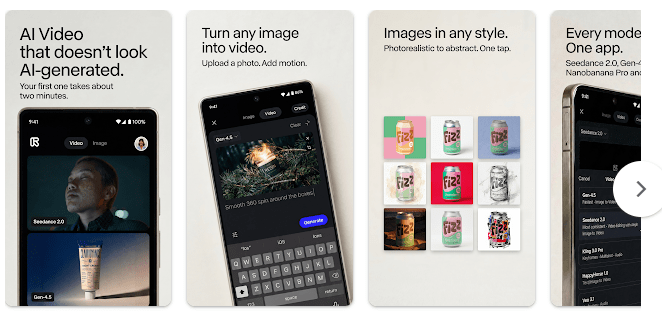
Runway is an AI creative app for making and editing images and videos. It can help turn ideas into visual content and gives users AI tools for working with pictures and video clips.
The app is mainly useful for people who want to make short videos, create visual ideas, or edit existing media without using a large desktop program. It is aimed at creative work rather than simple photo viewing.
Runway is an online service, so most of its AI work needs an internet connection. The exact tools available can depend on the current app version and account.
Device Resources & Safety
Runway is not a good example of a fixed-size offline editor. The download size can change by Android device and app version, and the Google Play listing does not provide one permanent MB figure that applies to every phone.
The final space used can also grow after installation because Android stores app data and temporary files. On a Redmi phone, the exact amount can be checked through Settings > Apps > Runway > Storage.
The main AI features need the internet because images and video are processed online. This means mobile data use can become high when working with larger files or creating video.
Permission prompts depend on the feature being used. Photo and media access may be needed when you upload files, while camera or microphone access can appear for features that use those parts of the phone.
Google Play’s data safety information should be checked before using the app because the information collected or shared can change with updates. Users should also review permissions before giving the app access to personal photos, videos, or other files.
Testing on Android
I tested Runway on a Redmi Android phone for two days. The app opened normally, and the main screens responded well when I tapped buttons and moved between sections.
Basic scrolling felt smooth during the test. Uploading media and starting AI tasks took longer than opening menus because those jobs depend on an online connection.
The phone stayed at a normal temperature during short browsing sessions. Longer AI work made the Redmi a little warm, and battery use was higher than when the app was only being browsed.
I did not notice a major crash during the two-day test. I also did not see a serious screen or menu bug while checking the main functions.
Key Functions
- AI Video Creation: Runway provides AI tools for creating video from instructions and other inputs. These tools are useful for people who want to make short visual clips.
- Image Generation: You can use supported AI tools to create images from written ideas. This can help when you need a visual without starting with an existing photo.
- Video Editing: Runway includes tools for changing and working with video content. You can use supported features to make changes to clips instead of using a separate basic editor.
- AI Effects: The app provides AI-based ways to change visual content. The exact effects available can depend on the current version and account.
- Creative Projects: Runway brings several AI media tools into one service. This can make it easier to keep image and video work in one place.
Competing Apps
Runway can be compared with Canva and Adobe Express. Canva focuses more on templates and simple design work, while Adobe Express combines design, photo, and video editing tools. Runway puts more attention on AI-based image and video creation. All three have free options, while some advanced tools require payment.
Pros and Cons
Pros
- AI image and video tools
- Simple mobile interface
- Useful for creative projects
- Supports online media creation
- Several tools in one service
Cons
- Internet is needed for main AI tasks
- Large media files can use more data
- AI processing can take time
- Some features may require paid access
- Storage can grow with app data and cache
Target Audience
Who Should Get This App
- People who want AI tools for making images and videos.
- Creators who prefer working from an Android phone.
Who Should Skip This App
- People who need a fully offline video editor.
- Users with limited mobile data who often work with large videos.
Key FAQs
Does Runway work without internet?
The main AI features need an internet connection because processing happens online. Offline use is not a replacement for the app’s main creative tools.
Can Runway make videos?
Yes, Runway provides AI video creation and editing tools. The exact tools and limits can depend on the current account and app version.
Does Runway need a lot of storage?
The exact storage amount depends on the phone, app version, and stored app data. Large uploaded or generated media can also require extra space when saved on the device.
Offzack Verdict
Runway is a useful mobile choice for people who want AI tools for images and videos. During the two-day Redmi test, the basic interface worked well, but AI tasks needed internet access and used more battery during longer sessions.
Download Runway AI – Android Apps from Google Playstore
Final Scorecard
- Ease of Use: ★★★★☆ — The main screens and controls were easy to use during testing.
- Performance: ★★★★☆ — Normal browsing was smooth, while AI tasks took longer to process.
- Features: ★★★★★ — Runway provides several AI tools for images, videos, and creative projects.
- Privacy & Safety: ★★★☆☆ — Users should review current Google Play data safety details and permissions before uploading personal media.
- Value for Money: ★★★★☆ — Free access can be useful, while some advanced AI features may require payment.
- Overall Rating: ★★★★☆ — Runway is a practical option for mobile users who want AI-based image and video tools.