If you follow mobile technology channels or AI product launches online, you have probably noticed a massive wave of social media hype surrounding European tech firms challenging the major American platforms. Lately, my tech feeds have been completely dominated by posts showcasing Mistral AI’s new official mobile companion application, recently updated and rebranded as Vibe by Mistral (formerly known as Le Chat). Everyone from indie developers to productivity influencers is claiming that this app is the fast, open-access alternative we have all been waiting for, promising to handle heavy research and complex text tasks right from a smartphone screen.
When an app gets this much sudden traction on social platforms, I immediately worry that it might just be another unoptimized web-wrapper that relies entirely on marketing buzz. Far too many mobile AI tools look great in short video clips but reveal themselves to be slow, laggy, and incredibly frustrating during real-world typing routines. Mistral AI promises that Vibe brings specialized “Flash Answers,” real-time web search integration, and multi-stage reasoning modes directly to your mobile layout without the heavy subscription walls of its primary peers. I spent a continuous 40-hour window using the application as my primary digital companion to see if it lives up to the social media noise.
📱 My Phone Testing Setup
I installed the official package, listed as ai.mistral.chat, directly onto a Nothing Phone 2a running Nothing OS 2.5 built on top of Android 14. To replicate an organic user environment, I kept the application active across a 2-day testing window while carrying out my standard daily workflows. I regularly rotated my internet connection style between standard home Wi-Fi bands and capped mobile data networks during outdoor commutes. I deliberately left my usual background utility tools running—including active messaging suites, local weather tracking widgets, and media players—to see exactly how the application handles everyday multitasking routines.
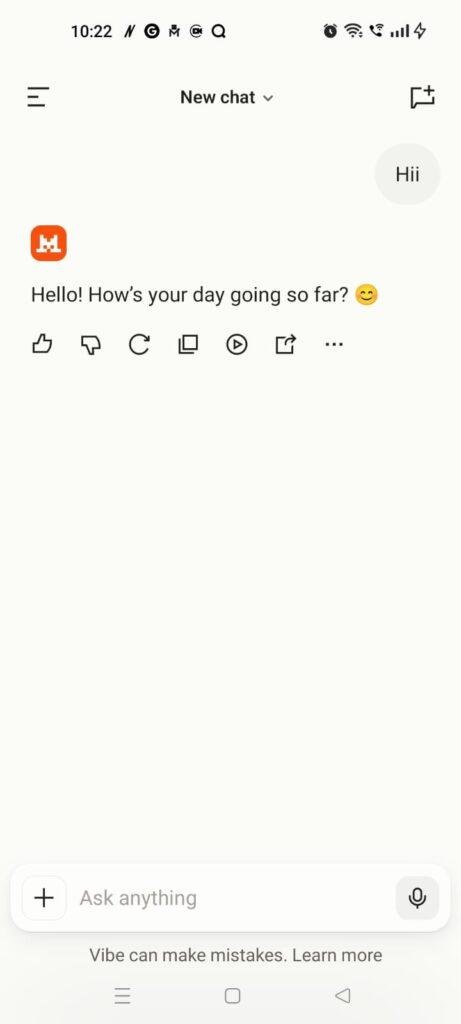
🎬 Real-World Hands-On Analysis
Scenario 1: Compiling a Deep Travel Analysis on Mobile Data
I opened the application while sitting on a moving public bus to test its real-time web search capabilities over an unpredictable mobile data network. I prompted the assistant to draft a structured, 3-day travel itinerary for a visitor looking to explore regional cultural landmarks under a tight schedule. The app’s input interface accepted my long prompt instantly, and the processing layout accurately pulled live data points from current travel sites. It output a well-spaced, numbered summary guide in under a few seconds, correctly embedding verified local train timing links without dropping the connection when the bus passed through a poor cellular coverage area.
Scenario 2: Late-Night Document Reading and Summarization
I spent an hour before bed testing the application’s document upload and optical character recognition functions to review a lengthy spreadsheet document. Navigating through the file attachment pop-up took just two taps, and the software read the document contents steadily without causing my phone’s interface to freeze or lock up. I asked the assistant to pull out the key anomalies and patterns from the text data, and it generated a clear bulleted overview on my display. The layout’s dark visual mode scaled comfortably against the phone panel, ensuring the text lines remained readable in a dark bedroom without causing eye strain.
Scenario 3: Creative Writing and Image Generation at My Desk
While sitting at my office desk, I tested the built-in image creation engine by requesting a highly specific flat-design graphic layout to accompany a text story I was drafting. The app processed my detailed prompt and populated a high-resolution visual layout using its integrated image generator in less than half a minute. I then used the companion chat box to request modifications, asking it to remove specific background elements while preserving the original character design. The editing tool updated the image layout accurately within a single chat turn, allowing me to save the final graphic directly to my phone’s local storage menu without any software hiccups.
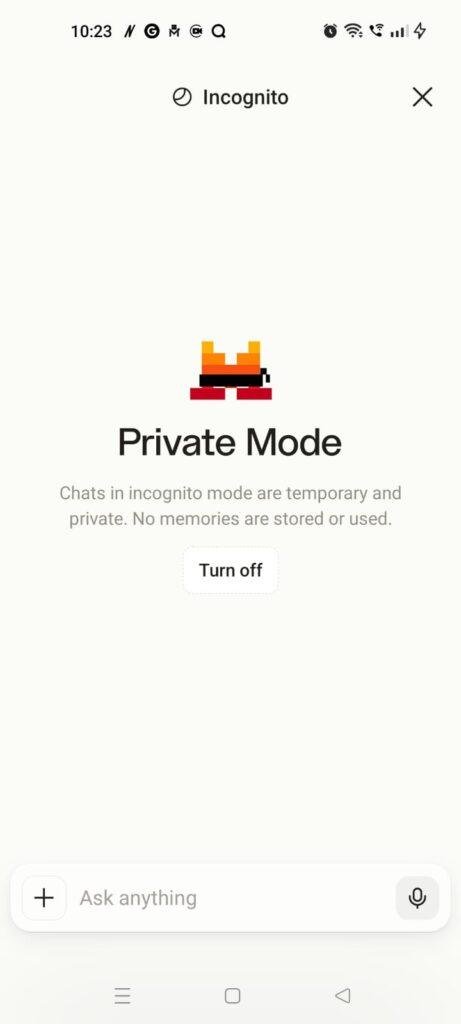
App Permissions & Device Safety
The application maintains a highly restrained and transparent framework when it comes to checking your smartphone’s internal hardware components. Here is the objective breakdown of the system settings encountered during my 2-day evaluation window, presented in a clean Bolded Q&A Format:
Does the app ask for Storage and Media Permissions?
No, the application did not explicitly demand broad, unrestricted access to my phone’s entire photo library or internal file directories. It utilizes the modern Android system file picker layout, meaning it can only see the specific PDF documents, spreadsheets, or images that you manually select and upload into the active chat session.
Does the app require Microphone Access?
Yes, the app will prompt you for microphone permission the very first time you tap the integrated audio button to use its voice interaction mode. It records your local vocal tracks to process your spoken commands and translate them into text inputs on the server.
Does the app track your continuous background Location?
No, location tracking access was never triggered or requested during my testing period. The software handles regional parameter sorting and language alignment entirely based on the country parameters linked to your storefront account profile rather than tracking your actual physical coordinates.
Does the app force continuous Network and Internet Access?
Yes, full network access is mandatory from the moment the app boots up. Because all heavy language modeling, real-time web searching, document summarizing, and graphic generation scripts take place on remote external servers, the user interface cannot display answers or parse inputs if the device drops into airplane mode.
Speed & Everyday Performance
The practical responsiveness of Vibe by Mistral remains one of its most impressive characteristics during daily use, outperforming many traditional web wrappers. Here is how the app’s performance metrics stack up under standard daily workflows, organized in a clear Bolded Q&A Format:
How rapid is the initial Download and Installation?
The installation package is compact, taking up under a few seconds to pull down from the market over a standard broadband connection and unpacking its interface files onto the local memory drive immediately.
What is the Account Setup Speed?
Setting up a new user profile takes around 1 minute, offering a straightforward verification routine via standard email one-time passwords or direct account authentication linkages.
How smooth is the core Menu Navigation?
Swapping between previous chat logs, opening the project management drawer, and switching between standard text modes and reasoning tools feels lightweight and highly fluid, with zero visible interface stuttering.
How does the app handle background Memory Loads?
The application stays stable in background memory loops. If you minimize a deep research task to reply to an urgent message thread, the app preserves your active session position and will not refresh the interface when you return.
Is there noticeable Battery Drain or Device Warmth?
During standard turn-based text queries, the software uses very little battery power, and the back plate of my Nothing Phone 2a remained completely cool to the touch. The phone only becomes mildly warm to the touch if you keep the application open for a continuous 30-minute window to generate multiple high-resolution images or run multi-stage research iterations back-to-back.
Storage Space & Cache Build-Up
When I first retrieved the application from the digital marketplace, the initial base download package registered at an incredibly light 55 MB. After installing the files and logging into my personal user profile, the space occupied within my phone’s application settings menu expanded to approximately 115 MB. This clean, minimal footprint is highly advantageous for budget-conscious phone users, as the heavy model processing files are hosted on cloud servers rather than cluttering your device’s storage.
Over my 2 days of active testing, the application’s temporary cache directory accumulated an extra 22 MB of storage data. This data folder fills up because the app saves small snippets of your text logs, chat attachments, and the compressed thumbnail layouts of your generated graphics locally so it doesn’t have to download them every time you scroll back through your conversation history. If you use the application heavily for work tasks, this cache folder will expand steadily over a few weeks, making it a smart habit to clear it out manually through your device settings drawer if your internal memory starts running low.
Battery Life & Daily Warmth
The impact on daily battery lifespan remains modest as long as you stick to standard text conversation patterns. A standard 20-minute workflow consisting of text translations, summary generation, and basic questions consumed roughly 3% to 4% of my total battery capacity, which is completely on par with using an everyday text-messaging application. The device chipset area stayed totally cool during these short checks.
However, when I pushed the application into its extended reasoning or multi-stage research modes, the system power usage scaled up accordingly. Running a continuous research task that forced the application to pull down live web links, parse multiple online data sheets, and format long-form text summaries drained about 7% of my battery over a 15-minute window, causing the back panel of the phone to turn mildly warm to the touch. This behavior is normal, as the device’s internal network hardware stays continuously engaged to handle incoming data streams.
offzack.in Quick Tip: If you frequently use the application for quick text summaries while running outdoor tasks on a limited battery, switch off the automated “Voice Mode Voice Outputs” in the main settings bar. This stops your phone’s speaker hardware and audio processing chips from drawing extra power after every text response.
Network Needs & Data Usage
Because Vibe by Mistral functions entirely as a cloud-hosted digital assistant, its overall data footprint depends entirely on the complexity of your prompts:
- Initial Setup Access Cost: Low, requiring less than 12 MB of network data to verify your profile credentials and sync your primary interface preferences.
- Daily Usage Data Footprint: Standard text turns consume less than 20 KB per message line. However, uploading complex multi-page PDF documents or generating high-resolution art portraits can easily consume 4 MB to 8 MB per file transfer.
- Additional Asset Downloads: The application handles its layout updates dynamically over the network, meaning it won’t force you to sit through long secondary asset package downloads after a marketplace update.
- Offline Support: None. The app features absolutely zero offline functionality. If you place your smartphone into airplane mode or lose your signal while commuting through an underground tunnel, the input box locks up instantly and displays a network connection failure message, preventing you from browsing past conversations or editing active text drafts until a signal is restored.
Monetization & User Security Review
The monetization structure of Vibe by Mistral uses a traditional freemium layout that is surprisingly generous compared to its main competitors. The free tier gives users access to quick turn-based conversations, basic web searching integrations, image generation features, and text summary utilities without any flashing third-party banner ads or forced countdown commercials cluttering the workspace. However, if your daily workflow requires unlimited message allowances, advanced deep research reasoning engines, massive document storage spaces inside organized projects, or enterprise team collaboration features, you will run into a clear tier gate prompting you to upgrade to a premium Pro monthly payment plan.
Regarding data boundaries and profile security, the software strictly requires an account registration via an email verification link or a social sign-on right from the opening splash screen, completely blocking guest access. According to the developer’s official storefront Data Safety section, user personal details and text logs are encrypted while in transit to their processing hubs, and the platform provides a verified path for users to request total deletion of their account records. It is important to remember that because the information you upload is analyzed on cloud servers to compile responses, you should avoid pasting highly confidential personal security keys or sensitive financial data lines directly into the text field.
Mistakes I Noticed During Testing
While the core processing engine is remarkably fast and capable, I run into three distinct design flaws, layout bugs, and user interface errors during my two days of hands-on usage:
- The Hidden Research Toggle Glitch: Following a recent user interface redesign, the buttons to toggle deep research and extended thinking options were moved from the primary keyboard area into a separate accessory menu. Now, when the mobile keyboard pops up on your screen, it frequently blocks this menu box entirely, forcing you to manually close the keyboard just to enable or disable research search tools.
- The Mobile Canvas View Lock: When requesting long-form structured layouts or code blocks, the app is supposed to open a separate “Canvas” panel to let you edit the text easily. On my phone, this side panel occasionally refused to expand fully, rendering the text lines clipped and forcing me to switch back to standard Chat Mode to read the complete response.
- Voice Mode Tone Fluctuations: While testing the integrated text-to-speech audio player to have the assistant read a long summary response out loud, the voice engine would randomly shift accents and vocal profiles halfway through a sentence, shifting from a clear tone to an entirely different voice structure without warning.
✨ Main Features Explained
- Flash Answers Engine: Processes standard conversational questions at a rapid pace, outputting text lines onto your screen almost instantly when dealing with basic writing, translation, or everyday organization tasks.
- Deep Research Mode: Executes an exhaustive, multi-step analysis on intricate topics by running multiple background web searches, evaluating source links, and compiling structured reports directly within the mobile layout.
- Integrated Web & News Search: Combines pre-trained knowledge with live internet queries, utilizing an exclusive media partnership layout to provide sourced factual data points with clickable links for current events.
- Flux Ultra Image Generation: Features a high-quality visual creation tool that allows you to draft graphics from scratch and use natural text commands to edit specific regions of the image while preserving overall character consistency.
- Project Organization Folders: Allows professional users to group related chat sessions, relevant document spreadsheets, and generated image assets into separate folders that maintain persistent memory boundaries across separate sessions.
Pros & Cons
What I Liked
- Blazing Fast Text Responses: The “Flash Answers” speed is highly noticeable, populating the display screen much faster than traditional chat assistants.
- Ad-Free Clean Interface: The total absence of third-party banner promotions and pop-up video interruptions makes for an incredibly clean workspace.
- Excellent Multilingual Nuance: Handles complex translation tasks and structural writing shifts across separate languages with extreme accuracy.
What Could Be Better
- Frustrating Keyboard Layout Blocks: The current placement of the tool selection menu often gets covered by the native mobile keyboard, requiring extra steps to open.
- Unreliable Mobile Canvas Panels: The document-editing side window frequently fails to scale properly on mobile screen boundaries, leading to layout clipping.
- Total Lack of Offline History Reading: The complete inability to open the application and read past saved chat text lines while offline reduces its utility on long commutes.
Industry Comparison
To help figure out exactly where this assistant fits best on your phone, it helps to review it directly alongside its immediate market competitors through this Bullet Point Breakdown:
- When to choose Vibe by Mistral vs ChatGPT:
- Choose Vibe by Mistral if response speed is your absolute highest priority, if you operate under strict European GDPR data compliance rules, or if you need to perform sequential edits on a single generated image layout.
- Choose ChatGPT if you rely on a massive library of third-party custom plug-in tools, need advanced voice conversation modes with zero vocal glitches, or require a highly polished, mature mobile interface flow.
- When to choose Vibe by Mistral vs Claude:
- Choose Vibe by Mistral if you want a highly capable free tier that handles live web searching and document summaries without facing aggressive daily message limits within an hour.
- Choose Claude if your daily work revolves around deep, nuanced literary analysis, multi-thousand-word creative storytelling projects, or highly complex multi-step logical derivations.
- When to choose Vibe by Mistral vs Gemini:
- Choose Vibe by Mistral if you prefer a streamlined workspace that doesn’t constantly push you to connect with personal email packages or company cloud infrastructure.
- Choose Gemini if you want your assistant deeply woven into your Android operating system framework, allowing it to read your notification panels or manage local device settings through voice controls.
Audience Recommendations
Who Should Install It?
- Students and Academic Researchers: Perfect for individuals who regularly need to synthesize data from multiple web documents, evaluate verified news sources, or draft structured reports on unfamiliar topics.
- Multilingual Business Professionals: Ideal for users who coordinate work tasks across different languages and require a clean, ad-free environment to process documents and translation strings.
Who Should Skip It?
- Commuters in Low-Signal Environments: Anyone who spends their daily transit hours in subway cars, deep basements, or remote regional zones with spotty data service will find the total lack of offline reading highly annoying.
- Power Users Seeking Local OS Controls: If you expect your digital assistant to toggle your phone’s physical settings, launch local maps, or set alarm timers via voice inputs, this app cannot handle those on-device loops.
Common FAQs
Will my historical chat transcripts be preserved if I switch my profile from Android to an iOS device?
Yes, because all of your conversation logs, project folders, and configuration memories are tied directly to your centralized profile account on their external cloud servers, your history will sync instantly when you log into the app on any mobile platform.
Does the free version of the application place a hard watermark on downloaded image creations?
No, the graphics generated through the integrated image studio module download directly into your phone’s media storage gallery as clean, high-resolution files without any obstructive brand marks or text overlays on the artwork.
Can I modify an existing AI character model or build custom libraries directly inside this mobile application?
While the desktop web interface supports deep library modifications and custom agent building, the current mobile application build lacks those configuration tabs, restricting you to text chatting, research, and basic folder organization.
Official Store Access
The deployment patterns and actual feature accessibility of this digital companion can adjust over time depending on global distribution updates and regional storefront regulatory policies.
Vibe by Mistral is available for deployment across major smartphone platforms. You can retrieve the official application build through the Vibe by Mistral listing on the Google Play Store or find the corresponding version on the Apple App Store for iOS frameworks.
The offzack.in Final Verdict
Vibe by Mistral is a remarkably snappy, highly capable digital assistant that brings premium, ad-free research utilities directly into your pocket layout today. If you have a modern mid-range phone, require rapid text outputs, and want a clean alternative to the major American options, you should absolutely download it. However, if you cannot stand minor layout bugs like keyboard menu blocks, or if you need an assistant that lets you read your past conversation histories when completely offline, you should skip it for now and stick to more mature mobile layouts.
Final Scorecard
- Ease of Use [3.8/5]: The minimalist layout looks incredibly sharp, but the recent menu updates mean the mobile keyboard often blocks key features, creating unnecessary tapping friction.
- Speed & Performance [4.7/5]: The “Flash Answers” speed is top-tier, popping text onto the panel almost instantly while keeping the device completely cool during standard turn-based use.
- Features [4.4/5]: Packs an excellent collection of utilities, ranging from deep multi-step research models to sequential graphic adjustments and robust document reading tools.
- Privacy & Safety [4.2/5]: Follows strong European data encryption boundaries and provides accessible account data removal paths, though cloud processing means you must avoid entering sensitive personal keys.
- Value for Money [4.6/5]: The free tier is remarkably generous, offering ad-free access to advanced search tools and graphic studios that competitors lock behind subscription gates.
- Overall offzack.in Score: 4.3 / 5