Every single day, my phone buzzes with group chats where standard text messages simply fail to capture the mood. I often find myself searching for that exact iconic movie frame or a funny expression to reply to a friend’s comment, only to realize I have to browse through unorganized web pages or crop blurry images manually. The everyday annoyance of wanting to send a quick, hilarious reaction in my regional language but being limited to basic emojis or global stickers that don’t match our local humor is something I face constantly.
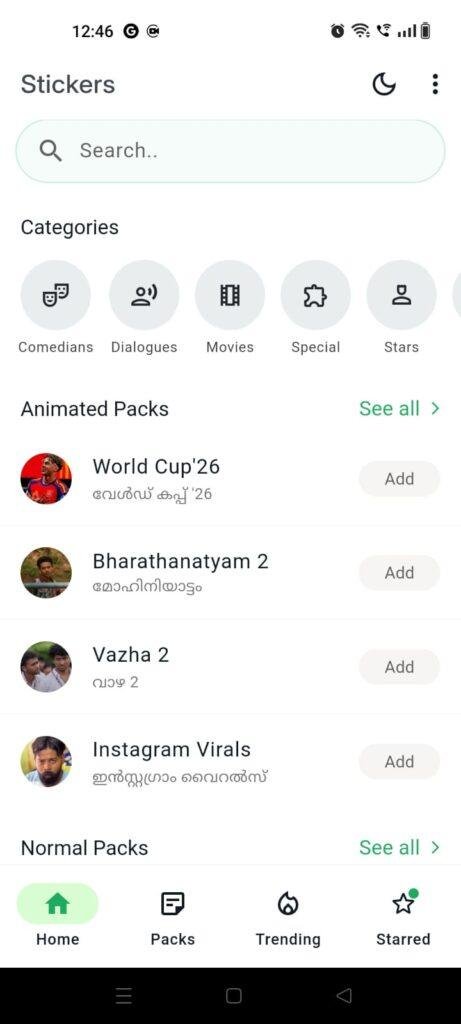
This is exactly where the Malayalam WhatsApp Stickers app (com.malayalam.whatsappstickers) by KL-TechE comes into the picture. Instead of making you search online or download separate random image files that clutter your gallery, this app serves as a centralized gallery of iconic Kerala pop-culture moments, movie punchlines, and animated character expressions tailored specifically for chat platforms. Over my 2 days of testing, I wanted to see if this app truly makes chatting more fun or if it just adds to the heap of messy utility apps that fail to work when you need them most.
My Phone Testing Setup
I conducted my entire review process using a OnePlus Nord CE4, running OxygenOS based on the latest available software update. I relied primarily on my home Wi-Fi network for browsing packs, while occasionally switching over to standard mobile data networks during outdoor commutes to see how it handles asset fetching on the move. Throughout a dense 2-day testing window, I kept the app active alongside my regular messaging routines, multitasking between email, social feeds, and heavy chat threads to monitor its stability and visual behavior under normal daily operations.
Real-World Hands-On Analysis
To give this application a proper real-world trial, I integrated it into three common daily scenarios where a standard text response just wouldn’t cut it.
- Scenario 1: Spicing Up the Family Group ChatDuring a lively Sunday morning conversation in my extended family group, I wanted to drop a classic, expressive reaction to a standard morning greeting. I opened the app, scrolled straight to the “Jagathy” category, found a legendary smiling expression, and tapped the direct transfer button. Within a single tap, the platform registered the visual asset, and I was able to drop it into the chat immediately without experiencing any sluggishness or freeze frames.
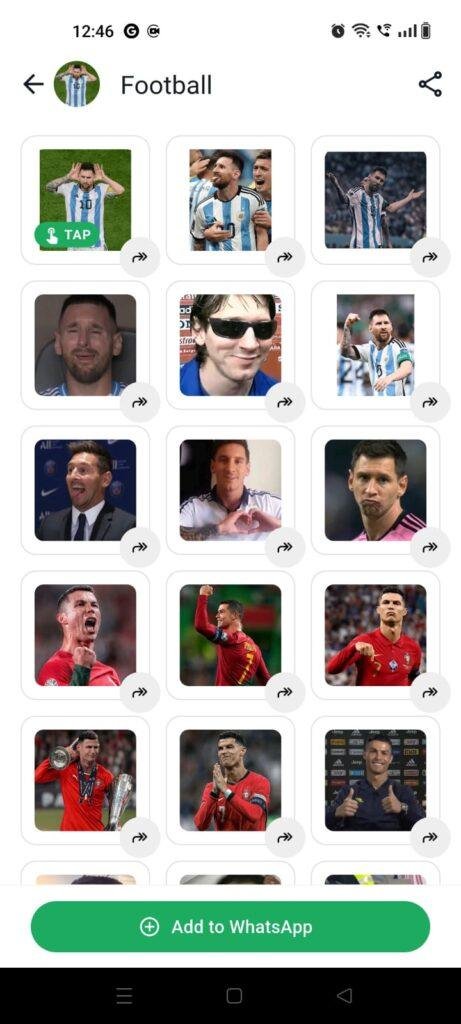
- Scenario 2: Reacting to Football News with FriendsWhen our local football club lost a crucial weekend match, my friend group chat turned into a den of complaints. Instead of typing out a paragraph, I opened the app’s dedicated “Troll Memes” section. I quickly spotted a classic crying meme from a Salim Kumar movie pack, added the bundle to my local messaging directory, and selected the perfect sticker right from my keyboard drawer. The text outline on the sticker was clear enough for everyone to read on their screens without zooming in.
- Scenario 3: Sending Animated Birthday Wishes at MidnightRight as the clock struck midnight for a close coworker’s birthday, I loaded the app’s animated segment to find something lively. I chose a moving special celebration sticker that featured animated elements. Even though animated files carry a bit more visual weight than static images, the interface processed the bundle transfer efficiently, allowing me to deliver the midnight wish right on time.
App Permissions & Device Safety
When installing simple media management utilities, tracking exactly what parts of your hardware the application requests access to is vital for long-term device safety. Here is how the application handled permission queries on my screen during the 2-day testing window, presented in a standard bolded Q&A structure:
- Does the app ask for Storage / Photos & Videos access?Yes. The app requests media storage access because it needs a place to cache the temporary sticker files locally on your device before passing them over to your messaging database. Without this, it cannot download the image bundles into your phone’s memory.
- Does the app ask for Camera access?No. During my entire 2-day testing routine, the app never triggered a camera prompt, which makes total sense since it is a consumption gallery rather than a custom creation tool.
- Does the app ask for Microphone access?No. The system does not listen to audio inputs or voice commands, so the microphone remained completely untouched and inactive.
- Does the app require Network / Internet access?Yes. Full network access is mandatory because the application fetches new sticker updates, animated items, and cloud-hosted movie packs from its external servers so that the initial download size stays small.
- Does the app track Location data?No. The app did not request precise or approximate GPS location prompts on my device screen while I was browsing the movie categories.
Speed & Everyday Performance
The overall responsiveness of the user interface dictates whether you will keep using a sticker app or delete it out of frustration when a chat moves quickly. Here is a breakdown of how the application performed across key performance checkpoints during my test:
- Download & Installation Time: The app downloads from the store under a few seconds on a basic broadband line, installing swiftly without taking up prolonged processing time.
- Setup Speed: The initial loading screen finishes in around 1 minute, moving you straight to the asset lists without forcing you through long onboarding loops.
- Menu Smoothness: Scrolling through the movie star grids feels lightweight, though you might notice brief asset placeholders if you scroll down very rapidly.
- Memory Load & Multi-tasking: The app maintains a very light footprint in the background, allowing me to jump back and forth between active chat windows without forcing an application restart.
- Active Battery Drain: The energy draw is minimal during standard browsing, though leaving animated GIF previews looping on the screen for extended intervals consumes slightly more power.
- Phone Warmth: My testing device remained completely cool during standard browsing routines, showing only a very minor, barely noticeable warm touch when adding multiple animated packs consecutively.
- Background Behavior: Upon exiting the interface, the app stops active rendering immediately, keeping your processing queues clear.
- System Stability: The interface remained stable throughout the 2 days, with no total system freezes, though grid reloads occurred occasionally when network signals dropped.
Storage Space & Cache Build-Up
When I first pulled the application down from the Google Play Store, the initial download package felt small and nimble, hovering around the low double-digit megabyte range. However, the final expanded disk size after installation grows as you start exploring the interface. Because the app displays hundreds of preview thumbnails for movie stars like Mohanlal, Mammootty, and popular internet series like Karikku, it has to store these visual elements somewhere.
Over my two days of use, the temporary cache folder inside my device settings grew steadily as I opened more packs. Every time you view a new category, those sticker previews are saved locally so they don’t have to re-download next time. My practical advice is to check your device settings every few weeks; if you notice the app data swelling past a couple of hundred megabytes, a quick manual clear of the cache will instantly reclaim that space without erasing the stickers you already pushed to your keyboard directory.
Battery Life & Daily Warmth
During long operational windows where I was hunting for the absolute best movie dialogue sticker to add to my collection, the battery drop stayed within very acceptable limits. For instance, spending 15 minutes continuously browsing through old-school comedy clips and new meme templates did not drain my battery drastically, keeping pace with standard lightweight applications like a regular file manager or an e-reader.
The phone processor area remained perfectly comfortable to hold, with no sudden heat spikes around the upper chassis of my device. Standby behavior was equally clean, as the app slept quietly without triggering wake-locks or background search loops while my phone sat idle on my desk.
offzack.in Quick Tip: To keep your battery usage as low as possible, try to avoid scrolling endlessly through the “Animated” sticker tab on slow cellular networks, as rendering multiple moving items simultaneously while forcing the network chip to download data will use up more energy than browsing static packs.
Network Needs & Data Usage
If you are someone who survives on a daily limited mobile data plan, monitoring how an app uses your network is crucial. Here are the core data metrics I observed:
- Initial Setup Access Cost: Very low, as it only downloads the structural menu layout rather than bundling thousands of stickers into the first store download.
- Daily Usage Data Footprint: Moderately low, consuming just a few kilobytes per text-based preview, though this increases depending on how many graphical grids you load.
- Additional Asset Downloads: Every time you click the option to add a full package to your messaging application, it performs a brief download burst to grab the high-resolution files.
- Offline Support: Once a specific sticker set is successfully added to your device and integrated into your messaging platform, it runs completely offline without needing a single byte of data. However, browsing new packs or searching the cloud database requires an active internet connection.
Monetization & User Security Review
The Malayalam WhatsApp Stickers app offers a very welcoming guest access policy right out of the box. You do not have to fill out annoying profile forms, link your personal phone number, or sign in through social accounts just to see the content. You simply open the utility and start exploring the categories immediately, which is excellent for basic user privacy. According to the storefront Data Safety section, the app may share basic device identifiers with third parties for operational analytics and ad delivery, which is typical for free utility tools.
In terms of monetization, the application is entirely ad-supported. Because there are no strict premium paywalls or subscription tiers locking the movie stars behind a purchase screen, you encounter programmatic banner ads positioned at the bottom of the interface, along with occasional full-screen pop-ups when you click to add a new sticker bundle. While the ads can sometimes feel a bit intrusive when you are in a rush to grab a meme, it remains a fair trade-off for a tool that gives you free access to its entire library.
Mistakes I Noticed During Testing
No application is completely flawless, and during my 2 days of real-world use, I ran into three clear issues that can disrupt the user experience:
- Dual Messaging App Conflict: When I tried saving a collection of custom dialogue stickers, the application occasionally got confused if I had multiple variations of messaging platforms installed on the same device. It sometimes forced the bundle toward one specific profile without giving me a clear pop-up choice to pick my preferred main account.
- Sticker Disappearance Bug: On one occasion after my device initiated a deep battery optimization loop overnight, the stickers I had added previously failed to show up in my keyboard drawer the next morning. I had to reopen the main application and re-add the pack to make it appear again.
- Thumbnail Reload Stutter: When jumping quickly from an older movie pack to the latest trending political memes, the image tiles went completely blank for a brief moment, forcing me to wait for the interface to catch up and rebuild the thumbnail list.
Main Features Explained
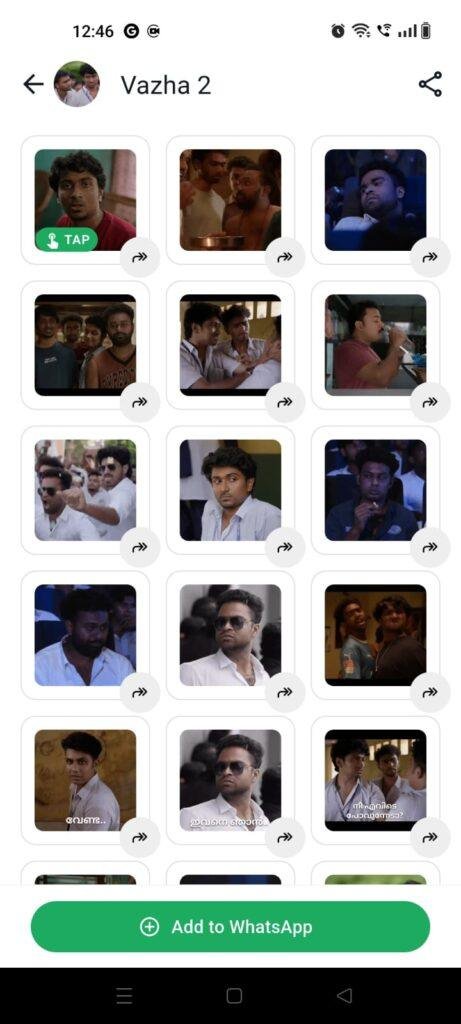
- Massive Pop-Culture Categories: The application splits its library into well-known folders based on actors, internet shows, and specific themes like “Karikku”, “Salim Kumar”, and “Ramanan”. This helps you pinpoint the exact style of humor you want without looking through mixed galleries.
- Animated GIF Support: Beyond simple static images, the system includes a dedicated tab for moving stickers. These elements animate smoothly inside chat bubbles, bringing popular movie expressions to life.
- Direct One-Tap Integration: You do not need to deal with manual file exports or complex moving paths. Tapping the addition button sends the selected pack straight into your official chat options within a couple of seconds.
- Copy-Paste Individual Assets: A highly practical addition in the recent updates allows you to send an individual sticker instantly without forcing you to download the entire package to your local system storage.
- Frequent Content Refreshes: The application frequently receives database additions, ensuring that whenever a new phrase or movie scene becomes a viral trend online, it pops up in the app shortly after.
Pros & Cons
What I Liked
- Highly organized layout: Finding stickers by actor names or specific themes saves a massive amount of time during fast chitchat.
- Light system footprint: The app does not drag down device performance or run heavy processes in the background after you close it.
- Zero login hurdles: The ability to use the app immediately as a guest without sharing personal details is a major user win.
What Could Be Better
- Intrusive full-screen popups: The full-screen ads that trigger when saving a pack can break your flow when you are in a hurry.
- Occasional sync drops: Stickers can sometimes vanish from the chat keyboard if your phone runs an aggressive internal memory clean.
- No built-in search bar: You have to scroll manually through the actor tiles to locate a specific set rather than typing a name to find it instantly.
Industry Comparison
To see how this application stands up against its direct rivals in the regional sticker market space, I looked at three alternative options available for Android users:
Matrix Table
| App Alternative | Layout Style | Primary Advantage | Pricing & Ads Structure |
| Malayalam WhatsApp Stickers (KL-TechE) | Structured Grid by Actor Name | Very quick one-tap direct saving | Entirely Free; Includes standard pop-up ads |
| TrollsPack App | Mixed Feed Layout | Includes extra pre-made meme templates | Free tier with heavy video ads |
| Animated Malayalam Stickers (ZeroBulb) | Traditional Folder List | Focuses heavily on moving graphics | Free access; Banners present throughout |
| Malayalam Stickers (New Spark) | Mixed Dialogue Packs | Extra generic holiday greeting cards | Free; Contains promotional content |
Audience Recommendations
Who Should Install It?
- Active regional chatters: If you spend hours every day talking to friends or family in regional groups and want instant access to localized humor.
- Cinema fans: Those who love classic movies and want to use legendary character expressions to make their points instead of typing plain text.
- Budget phone users: Users with entry-level or mid-range devices who need an entertainment utility that won’t hoard storage space or hog local device RAM.
Who Should Skip It?
- Ad-averse individuals: If you absolutely cannot stand full-screen promotional pop-ups triggering during asset saves, the monetization style might irritate you.
- Global users: Those who don’t follow regional cinema or local web series will find very little utility in these specific reference folders.
Common FAQs
- Why do my added stickers occasionally disappear from my messaging app?This usually happens when your phone’s built-in battery saver or RAM optimizer cleans out temporary system folders to save energy. To prevent this, simply turn off battery optimization for this application inside your device settings.
- Can I use these stickers on an Apple iPhone device?This specific application package is designed for Android phones via the Google Play Store. To use them on iOS, you would need a friend to send the items to you in a chat so you can manually save them to your favorites folder.
- Does adding these packs consume my internal phone memory permanently?Only a tiny amount; the visual items are compressed tightly before saving, meaning an entire folder of dialogue items usually takes up less space than a single photo taken by your phone camera.
Official Store Access
Independent Disclaimer: The link provided below points directly to the official digital marketplace hosted by the platform provider. offzack.in is not associated with the external developer team and recommends reviewing application data safety summaries before initiating any device installations.
The offzack.in Final Verdict
The Malayalam WhatsApp Stickers app by KL-TechE is an incredibly fun, lightweight addition for anyone who wants to make their daily text conversations vastly more expressive. While the frequency of full-screen advertisements can occasionally test your patience when jumping between packs, the sheer variety of movie dialogues, animated assets, and classic internet memes makes it worth keeping on your phone. If you want your daily chats packed with humor without cluttering your phone gallery, this application deserves a spot on your mobile device today.
Final Scorecard
- Ease of Use [4.2/5]: The actor-based folders make finding classic memes extremely straightforward, though a dedicated search text box would make it even faster.
- Speed & Performance [4.0/5]: Packs transfer to the keyboard drawer under a few seconds, with only minimal thumbnail delay on slower mobile networks.
- Features [4.5/5]: The addition of animated items and the option to send individual copy-paste assets provides excellent utility.
- Privacy & Safety [3.8/5]: The guest access option is wonderful for keeping things private, though standard device ID tracking is active for ad optimization.
- Value for Money [4.5/5]: The app is entirely free to explore, making the minor inconvenience of closing occasional pop-up ads a fair deal.
- Overall offzack.in Score: 4.2 / 5