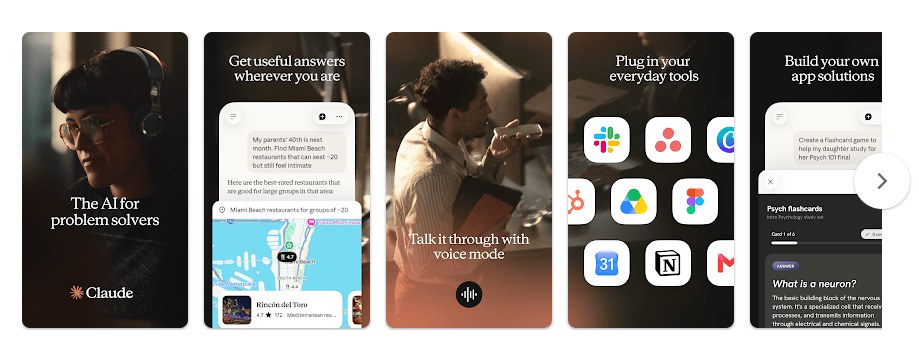
Claude is an AI assistant from Anthropic that helps you answer questions, write text, learn new topics, solve problems, and work with documents. On Android, it gives you a simple chat screen where you can type what you need and get an answer.
The main daily problem it solves is saving time. Instead of searching many pages or starting a document from scratch, you can ask Claude to explain something, rewrite text, make a plan, or help with an idea.
Claude can also be useful for work and study. You can use it for emails, notes, summaries, brainstorming, coding help, and other everyday tasks.
Quick Pros & Cons
Pros
- Simple chat interface
- Useful for writing and learning
- Can work with documents and images
- Good for long questions and detailed tasks
- Available on Android
Cons
- Some features depend on your plan
- Answers can sometimes be wrong
- Needs internet for normal AI chats
- Heavy use can reach usage limits
- Not every advanced feature is available to every user
Core Features
AI Chat
You can ask Claude questions in normal language and get a written answer. It can explain difficult subjects in easier words when you ask it to.
Writing Help
Claude can help write emails, articles, notes, stories, and other text. You can also give it your own writing and ask it to make the text clearer.
Document Help
The app can work with supported files and help you understand information inside them. This is useful when a document is too long to read line by line.
Image Understanding
You can use supported image features to ask questions about pictures. This can help when you want the AI to read or explain information shown in an image.
Learning and Ideas
Claude can help with school topics, research questions, planning, and brainstorming. You can ask follow-up questions instead of starting a new search each time.
Real-World Performance
I tested Claude for 2 days on a Redmi Android phone. Normal scrolling, opening chats, typing questions, and reading answers worked smoothly, with no major lag or UI bugs during the test.
Battery drain was not a major problem during normal chat use. The phone also did not become unusually hot during regular use, though long sessions can naturally use more battery because the screen and internet connection stay active.
Space & Safety
Claude is a fairly light app compared with many video, gaming, and editing apps, but the exact download size can change with Play Store updates and device type. Storage can grow as the app stores local data, while your conversations are mainly handled through the online service.
Claude is mainly an online AI assistant, so normal chat use requires an internet connection. Android permission prompts can vary by the features you use, such as access needed for selected files, photos, or other device functions, so it is worth checking each request before allowing it.
Competitor Check
Claude competes with apps such as ChatGPT and Google Gemini. ChatGPT offers a wide range of AI tools, while Gemini works closely with Google’s services and apps. Claude is a good choice for users who mainly want clear chat, writing help, document work, and long conversations, while pricing and available features depend on each service’s current plan.
User Fit
Who Should Use It
- Students, writers, and workers who need help with daily tasks.
- People who want an AI assistant for questions, writing, and learning.
Who Should Avoid It
- People who need an AI app that works fully without internet.
- Users who do not want to use an AI service with plan limits.
Helpful FAQs
Is Claude free on Android?
Claude can be used without paying, but paid plans may provide higher usage limits and extra features. The available plans and features can change over time.
Can Claude help with writing?
Yes, Claude can help create, edit, rewrite, and explain different types of text. You can tell it the style and length you want before asking it to write.
Does Claude work without internet?
Normal Claude conversations need an internet connection because the AI service runs online. You should not expect the Android app to provide full offline AI chat.
Offzack Verdict
After a 2-day test on a Redmi Android phone, Claude was easy to use and worked well for normal AI chats, writing, learning, and everyday questions. It is a useful choice if you want a simple AI assistant, but internet access and plan limits are worth keeping in mind.
Download Claude App From Playstore
Final Scorecard
- Ease of Use: 4.5/5 — The chat layout is simple and easy to understand.
- Performance: 4.5/5 — It ran smoothly during normal testing with no major bugs.
- Features: 4.5/5 — It offers useful tools for chatting, writing, learning, and working with information.
- Privacy & Safety: 4/5 — Users should review permissions and think carefully about what personal information they share.
- Value for Money: 4/5 — The free option is useful, while paid plans can add more access and features.
- Overall Rating: 4.5/5 stars — Claude is a strong Android AI assistant for everyday questions, writing, and learning.