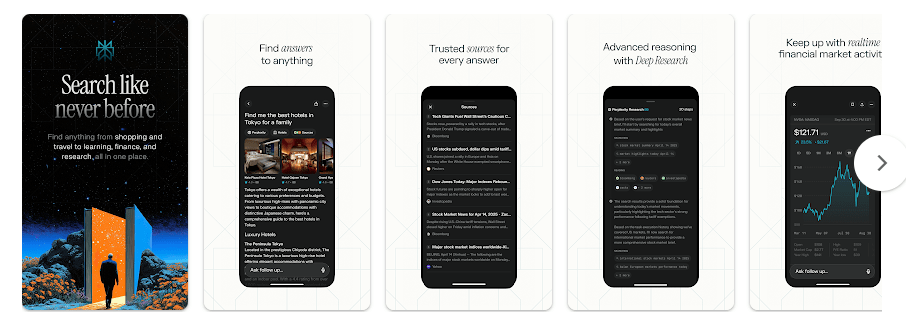
Perplexity – Ask Anything is an Android app for finding answers, checking information, writing text, and researching topics. You can type a question or use your voice, and the app searches for information and gives you an answer with source links.
This makes it useful when a normal Google search feels too slow. Instead of opening many websites, you can ask one question and read a short answer with sources that you can check.
Should You Install It?
Who Should Use It
- Students and learners: It can help explain school topics, find information, and give sources for further reading.
- Writers and researchers: It is useful for checking facts, finding recent information, and getting ideas quickly.
Who Should Avoid It
- People who need an offline AI app: Perplexity depends on an internet connection for its main search and answer features.
- People who want everything free: The app has in-app purchases, and some advanced features are limited to paid plans.
Main Features Breakdown
- Search with sources: Perplexity gives answers with links to the sources used. This is helpful when you want to check where the information came from.
- Voice questions: You can speak instead of typing. This is handy when your hands are busy or when you want to ask a quick question.
- Follow-up questions: You can continue the same conversation instead of starting again. This makes longer research tasks easier.
- Pro Search: Pro Search is made for deeper searches. It can help when a simple answer is not enough.
- Library and Discover: Your Library helps keep useful searches, while Discover lets you find new topics and content.
Live Device Testing
I used Perplexity on a Redmi Android phone for two days. The app opened quickly, and normal questions were handled without major lag.
Moving between chats and asking several questions felt smooth. I did not notice serious frame stutters during normal use.
Battery use was also reasonable during short research sessions. Longer searches can naturally use more battery because the phone needs an internet connection and has to load fresh results.
Storage, Data, and Security
The current Google Play listing does not show a fixed download size because Android can install different files for different phones. Third-party Android package data lists the latest version at about 105 MB for the APK, while bundled downloads can be larger depending on the device.
Cache can grow as you use searches, saved content, images, and other app data. You can clear the cache from Android settings if it becomes too large.
Perplexity is mainly an online app, so its main search service is not designed for full offline use. Google Play says the app may share app activity, app information and performance data, and device or other IDs. It may collect location, personal information, and other data. Data is encrypted while being sent, and users can request data deletion.
Comparison with Competitors
ChatGPT is a strong choice for chatting, writing, learning, and many general tasks, while Google Gemini works closely with Google services on Android.
Perplexity stands out when you want web answers with visible sources. If research and fact checking are your main needs, Perplexity is a very good choice.
Pros & Cons
Pros
- Answers include source links.
- Fast for web research.
- Voice search is useful.
- Easy to ask follow-up questions.
- Free version is available.
Cons
- Needs internet for its main features.
- Advanced features may require payment.
- Data collection may concern privacy-focused users.
- App storage can be fairly large.
User FAQs
Is Perplexity free on Android?
Yes, you can install and use Perplexity for free, but it also has in-app purchases and paid features.
Can Perplexity work without internet?
Not for its main search and answer service. You should have a working internet connection when you want fresh web results.
Is Perplexity better than ChatGPT?
It depends on what you need. Perplexity is especially useful for research with sources, while ChatGPT is a strong all-round assistant.
Offzack Verdict
After two days on a Redmi Android phone, Perplexity proved to be a useful research app. It was quick, easy to use, and did not show major performance problems during testing.
Its biggest reason to install is simple: you get answers with sources instead of just a plain reply. If you often search for information, study, write content, or check facts, Perplexity is worth trying.
Download Perplexity App From Playstore
Final Scorecard
- Ease of Use: ★★★★★ — The simple question-and-answer design is easy to understand.
- Performance: ★★★★☆ — It ran smoothly on the Redmi during the two-day test.
- Features: ★★★★★ — Search, sources, voice, follow-ups, and research tools give you plenty to use.
- Privacy & Safety: ★★★★☆ — Data is encrypted in transit, but the Play Store lists several types of data that may be collected or shared.
- Value for Money: ★★★★☆ — The free version is useful, while paid features are aimed at heavier users.
- Overall Rating: ★★★★½ — A very good Android app for people who want quick answers backed by web sources.