Every time exam season rolls around, my social media feeds blow up with students sharing aesthetic study guides, colorful flashcards, and perfectly organized revision notes. It seems like everyone on TikTok and Instagram has found the ultimate secret to acing their classes, leaving the rest of us scrambling through messy textbooks and disorganized folders. This sudden social media hype around digital study communities led me straight to Knowunity. The app is constantly pushed by student influencers as a lifesaver for schoolwork, promising a central hub where teenagers can share their notes, ask homework questions, and study together for free.
I wanted to see if the actual platform lives up to the massive online praise or if it is just another overhyped app cluttering your phone. Many study platforms start out looking amazing but quickly turn into chaotic forums filled with low-quality uploads, broken search tools, and aggressive payment walls that block the best content. In this review, I will break down exactly how Knowunity behaves in real life, what it feels like to use for daily high school and college prep, and whether it deserves a spot on your home screen.
My Phone Testing Setup
To give this app a fair run, I loaded Knowunity onto my personal Nothing Phone 2a, which runs on Nothing OS 2.5. I used the application actively over a full 2-day testing window, incorporating it directly into my regular daily routine alongside standard multitasking apps like WhatsApp, Spotify, and YouTube. My connectivity shifted between a stable home Wi-Fi connection and standard mobile data networks while I was out and about. Throughout the entire two days, I monitored how the interface responded, tracked the internal storage menus, and kept a close eye on the battery level to see exactly how it impacts a mid-range phone under regular, real-world conditions.
Real-World Hands-On Analysis
Searching for Specific Biology Study Notes
I started by testing the core search function to find study materials for high school biology, specifically focusing on cell division. Tapping the search bar brought up instant suggestions, and typing my query revealed hundreds of PDF notes uploaded by other students. I spent about twenty minutes scrolling through different study guides, opening full-screen previews, and saving the cleanest-looking documents to my personal digital library within the app. The document viewer loaded the handwritten and typed pages clearly without breaking the layout, allowing me to zoom in on diagrams easily.
Asking a Homework Question in the Community Feed
Next, I decided to test the interactive community Q&A section by posting a tricky algebra question to see how fast the network responds. The posting process was straightforward, letting me type out the text and tag it with the appropriate math subject label so it would route to the right audience. Within roughly fifteen minutes, two other users replied with step-by-step explanations that actually made sense. The notification system brought me back to the app instantly when the answers arrived, showing that the community side of the platform is highly active.
Creating a Custom Study Quiz
For my final test scenario, I attempted to build a quick interactive flashcard set using the built-in study tools during an afternoon commute on mobile data. I selected a few key terms from a chemistry chapter I was reviewing and typed them into the template system. The interface allowed me to toggle between a standard document view and the flashcard flip mode smoothly, making it easy to test my memory while riding the bus. The app handled the constant switching between text entry and visual card flipping without freezing or kicking me out to the main phone screen.
App Permissions & Device Safety
During my 2-day testing window, I kept a close eye on the exact hardware access prompts Knowunity pushed to my screen. The platform requires a handful of standard smartphone permissions to let you upload your own study materials and talk to other students.
Bolded Q&A Format:
- Does the app ask for Camera access?Yes, the app requests camera access when you try to take a direct photo of your handwritten notebook pages or a homework problem to upload it to the community.
- Does the app require Storage / Media access?Yes, it asks for permission to read your device files so you can select pre-saved PDFs, images, or documents from your internal downloads folder for sharing.
- Does the app access your Network Information?Yes, full internet access is required continuously to pull down study documents, load community questions, and sync your saved library to the cloud.
- Does the app request Notification permissions?Yes, it prompts you for notification access during the initial setup so it can alert you when someone replies to your study questions or likes your uploaded notes.
Speed & Everyday Performance
The overall responsiveness of Knowunity is decent, though it shows some noticeable variance depending on how heavy the document is that you are trying to view.
Bolded Q&A Format:
- Download and Install Time: The app downloads from the store in under a minute on a standard connection, and the initial background installation finishes quickly without stalling.
- Setup Speed: Creating a profile and selecting my grade level took around 1 minute, moving through the onboarding screens without any long loading delays.
- Menu Smoothness: Switching between the main home feed, the search tab, and my personal profile feels relatively snappy, though fast scrolling through heavy image-based notes can cause minor visual stutters.
- Memory Load: The system memory management appears balanced, as the app stays open in the background when I briefly jump over to check my messages and returns right where I left off.
- Active Battery Drain: While actively reading through long study guides with the screen on, the battery usage is moderate, ticking down at a normal rate for a media-heavy app.
- Phone Warmth: The back of my phone remained completely cool during simple reading sessions, turning only mildly warm to the touch when I spent over thirty minutes straight uploading files and typing in the community chat.
- Background Behavior: Upon exiting the application to the home screen, the background process drops its active resource pull almost immediately, avoiding unnecessary battery drainage while the phone is idle.
- App Stability: During my full two days of evaluation, the application remained stable overall, experiencing no sudden hard crashes or total interface lockups.
Storage Space & Cache Build-Up
When I first downloaded Knowunity from the Google Play Store, the initial download package arrived at a relatively modest size, taking up roughly 60 MB of space. However, once the application is fully installed and you complete the account configuration, the base footprint expands to about 150 MB on the internal storage disk. This expansion is entirely standard for modern educational apps that contain localized interface assets and layout files.
As you begin opening study guides, viewing handwritten flashcards, and loading high-resolution PDF notes from the community feed, the application starts storing these files in your phone’s temporary cache folder. Over my 2 days of regular browsing, the cache folder steadily grew by an extra 80 MB. If you use this app daily for multiple subjects, that cache will quickly climb into hundreds of megabytes. I highly recommend jumping into your phone’s apps menu once every couple of weeks to clear the cache manually, which keeps your internal storage clean without wiping out your saved bookmarks or profile data.
Battery Life & Daily Warmth
My active observations revealed that Knowunity handles power consumption reasonably well when you are just reading text-based notes. The system does not strain the phone’s main processor heavily during standard study sessions. However, if you spend an hour straight flipping through vibrant, image-heavy study guides while connected to a mobile data network, you will see a faster drop in your battery percentage.
Standby performance was excellent throughout the trial period. When my phone sat idle on my desk for hours between study sessions, the app remained perfectly quiet in the background, consuming virtually zero power. The upper section of the phone near the camera lens stayed cool to the touch during short reading intervals, only showing a slight temperature rise when I kept the screen brightness maxed out to read tiny, handwritten cursive notes in dimly lit environments.
offzack.in Quick Tip: To stretch your phone’s battery life during long night study sessions, go into the app settings and switch the theme over to Dark Mode, then manually lower your phone’s display brightness to reduce the power drawn by the screen while reading large text documents.
Network Needs & Data Usage
Knowunity is fundamentally built around a live, cloud-based community, meaning you will need an active internet connection to get any real work done. It is not an app designed for deep offline usage out of the box.
- Initial Setup Access Cost: Setting up your profile and picking your school subjects requires a constant internet connection, consuming a few megabytes of data to sync your profile to the network servers.
- Daily Usage Data Footprint: A typical one-hour study session filled with opening different user-submitted PDF notes and scrolling through community forums will pull a fair amount of data, making it wiser to use on Wi-Fi if you have a tight mobile data limit.
- Additional Asset Downloads: The app does not force you to download massive secondary language packs or core software updates inside the menus, only pulling individual study files down as you tap on them.
- Offline Support: If your phone drops its network connection completely, you lose access to the search bar, the interactive Q&A forum, and new note previews. The app only lets you view specific documents that you have explicitly saved to your local offline library ahead of time.
Monetization & User Security Review
According to the app’s Play Store Data Safety section, the platform encrypts data in transit and allows you to request data deletion if you ever decide to close your account. When you open the app for the first time, it does force you to register a formal profile using an email address, a Google account, or an Apple ID before you can view a single document. There is no true guest access mode available, which might disappoint users who just want to quickly glance at a single note sheet without handing over their digital contact details.
The monetization structure relies heavily on a freemium model mixed with programmatic advertising. As a free user, you will encounter inline banner ads at the bottom of the screen and full-screen video ads that pop up occasionally when you are trying to open a new study guide. The platform pushes its premium subscription tier quite frequently, offering an ad-free experience, verified study materials, and offline access behind a recurring paywall. While the free version is entirely usable for basic homework help, the constant prompts to upgrade can feel a bit pushy when you are right in the middle of an intense study groove.
Mistakes I Noticed During Testing
While evaluating the platform, I ran into three distinct user interface annoyances that interrupted my workflow. First, the internal search filtering system frequently resets itself. If I set the filter to only show “High School Grade 11” math notes, the moment I backed out of a document to look at the search list again, the filter would clear out entirely, forcing me to check the grade boxes all over again.
Second, I noticed a recurring layout bug in the document viewer when trying to zoom in on tiny handwritten text. If I pinched to zoom too quickly, the document page would occasionally slide completely off the screen boundaries, leaving me looking at a blank gray background until I closed the file and reopened it from scratch.
Finally, the community Q&A comment section has a frustrating text entry bug where the soft keyboard on my phone would sometimes overlap the actual text box I was typing in. This meant I had to type out my replies blindly without seeing the specific words appearing on the screen until I minimized the keyboard to check my spelling.
Main Features Explained
- User-Generated Note Library: The core of the platform is a massive repository of shared study notes, essays, and summaries uploaded by students across various grade levels. You can search by specific subjects like history or biology to find structural breakdowns that match your exact school curriculum.
- Interactive Community Q&A: A dedicated forum section allows you to snap a picture of a difficult homework problem and post it directly to a public feed. Other students or verified creators can type out step-by-step solutions to guide you through the problem.
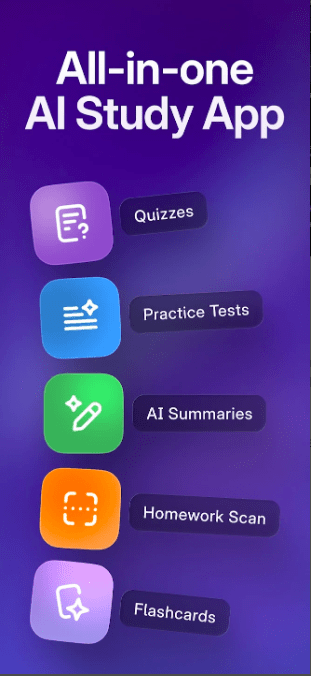
- Custom Flashcard Creator: The app includes a built-in study tool that lets you build digital flashcards for vocabulary terms or equations. You can test your knowledge using a simple tap-and-flip interface directly on your mobile screen.
- Study Groups and Group Chats: Users can form targeted study circles based on specific classes or upcoming standardized exams. This lets you share relevant study links and hold digital study sessions with peers who are preparing for the exact same tests.
- Personal Digital Study Library: A built-in bookmarking system allows you to organize saved study guides, user profiles, and custom flashcards into distinct digital folders, making it easy to build a clean revision dashboard before final exams.
⚖️ Pros & Cons (The Good & Bad)
What I Liked
- Massive Free Database: The sheer volume of student-submitted notes is impressive, offering plenty of real-world examples for almost every major school subject without charging an immediate fee to read them.
- Active Peer Support: The community side responds surprisingly fast, making it highly valuable when you are stuck on a specific homework question late at night and need a quick explanation.
- Clean Document Organization: Saving files to personal folders is incredibly straightforward, allowing me to build an organized study hub that matches my real-life class schedule perfectly.
What Could Be Better
- Intrusive Pop-up Ads: The full-screen video advertisements that appear between opening different study guides disrupt the learning flow and get annoying during rapid research sessions.
- Inconsistent Note Quality: Because the content is uploaded by regular students, some notes feature messy, hard-to-read handwriting or incomplete explanations that require double-checking against a real textbook.
- Strict Account Wall: Forcing a complete profile registration right at the start prevents casual users from checking if the app even has relevant notes for their specific region before signing up.
Industry Comparison
Bolded Q&A Format:
- How does Knowunity compare to Quizlet?Quizlet focuses almost entirely on flashcards and rote memorization tools, whereas Knowunity provides full, multi-page handwritten study guides and an active community chat room. Quizlet feels more like a structured testing utility, while Knowunity plays out like a social media platform built exclusively for schoolwork.
- How does Knowunity match up against Studocu?Studocu targets university-level students with heavy academic papers and official lecture documents, while Knowunity is visually styled for middle school, high school, and early college students who prefer colorful, peer-to-peer visual notes. Knowunity’s mobile app layout feels much more modern and chat-focused compared to Studocu’s desktop-first library layout.
- How does Knowunity stand against Brainly?Brainly is engineered strictly around a question-and-answer mechanic where users trade points to get homework solutions, whereas Knowunity offers a broader mix of standalone study note uploads, flashcard tools, and group chats alongside its Q&A board. Knowunity gives you more independent study materials to read through on your own without needing to post a question first.
Audience Recommendations
Who Should Install It?
- Visual Learners: Students who study best by looking at colorful, handwritten summaries, diagrams, and personalized mind-maps created by their actual peers.
- Collaborative Studiers: High schoolers who enjoy working in groups, answering homework questions for others, and sharing their own knowledge to build a digital following.
- Budget-Conscious Students: Anyone looking for a massive library of baseline revision materials without wanting to pay for expensive textbook companions or professional tutoring platforms.
Who Should Skip It?
- Advanced Academic Researchers: University students working on deep, high-level research papers who require verified academic journals and official university lecture slides.
- Easily Distracted Learners: Students who get thrown off track by social-media-style feeds, community chat notifications, and recurring advertising pop-ups during study hours.
- Strictly Offline Users: People who do most of their studying in remote areas without internet access or on devices with highly restricted mobile data allowances.
Common FAQs
- Can I download study notes from the app directly to my phone’s internal memory?Free users cannot export the PDF files directly to their device storage menus due to copyright protections, but you can save them within your application library for offline reading if you subscribe to the premium tier.
- Is the information in the study notes checked for absolute factual accuracy?While the platform features verified study materials marked with special badges, many standard uploads come from everyday students and may occasionally contain personal spelling errors or minor factual mistakes.
- Do I have to pay money to look at the community study guides?No, the vast majority of the peer-shared notes and the basic Q&A forum are open to free accounts, though you will have to view regular advertisements to access them.
Official Store Access
Important Editorial Disclaimer: offzack.in is an independent tech review platform. All app names, store links, and brand logos are the property of their respective trademark owners. We provide official storefront paths to ensure our readers access clean, unaltered application files directly from verified distribution channels.
You can view the official listings and check device compatibility through the direct marketplace options below:
The offzack.in Final Verdict
Knowunity successfully transforms the lonely process of studying into a highly interactive, community-driven social experience. It provides high school and early college students with an incredible volume of free, peer-created study guides that can save hours of independent formatting work. However, the social media layout and frequent advertising video pop-ups can easily break your concentration if you are cramming under a tight deadline. If you want colorful, peer-to-peer notes and fast homework advice, download it today; if you require distraction-free, verified academic sources, look elsewhere.
Final Scorecard
- Ease of Use [4/5]: The interface mimics modern social apps perfectly, making navigation instantly familiar, though the search filters can be clumsy.
- Speed & Performance [3.5/5]: The app runs reliably on mid-range hardware, but loading heavy image files causes occasional document viewer layout slips.
- Features [4/5]: The combination of shared notes, flashcards, group chats, and a live Q&A forum offers a complete toolkit for casual school revision.
- Privacy & Safety [4/5]: Data safety guidelines are explicitly outlined with clear transit encryption, though forcing account creation right away is a minor drawback.
- Value for Money [3.5/5]: The free version gives you plenty of utility without spending a dime, provided you don’t mind sitting through regular ad breaks.
- Overall offzack.in Score: [3.8 / 5]