We have all been there: an incredible idea pops into your head while you are walking down a busy street, or you suddenly remember an urgent chore while driving, but you cannot stop to type it out. The everyday annoyance of traditional note-taking apps is that they require your full visual attention and two hands on the keyboard. If you try to open a standard text editor on the move, you inevitably end up with a mess of typos, autocorrect blunders, or worse, you completely forget the second half of your thought before your thumbs can even finish typing the first sentence.
Trying to type out long paragraphs when your mind is moving fast feels like trying to catch water with a sieve. Audio recorders built into most phones offer a basic alternative, but then you are stuck with dozens of unnamed voice tracks, leaving you to manually scrub through hours of sound just to find a single ten-second reminder.
To see if I could find a smoother way to handle this daily friction, I spent some time with Voice Notes by Gawk. This utility app aims to bridge the gap by offering a simple space where you can speak your thoughts naturally and have them immediately saved as text or audio logs. I wanted to see if this lightweight tool actually fixes the daily hassle of capturing fleeting ideas or if it just adds another layer of clutter to my phone display.
My Phone Testing Setup
To get a true feel for how this tool handles regular daily pressure, I installed Voice Notes on a Moto G85. The phone runs on Motorola’s clean Hello UI layer, which makes it easy to spot exactly how much background weight a third-party app introduces. I kept the device connected to a combination of home Wi-Fi networks and standard 4G and 5G mobile data lanes while moving around town. Over a strict 2-day testing window, I used the app consistently during my standard multitasking routines, keeping it running alongside web browsers, navigation tools, and messaging networks to track its real-world stability.
Real-World Hands-On Analysis
Jotting Down Quick Grocery Lists While Walking
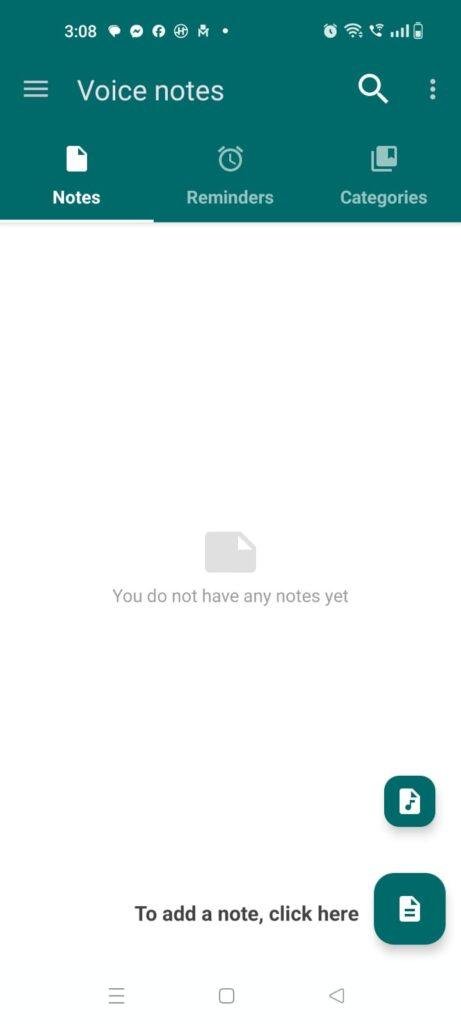
I put the app to work while pushing a cart through a crowded supermarket aisle on a busy afternoon. Instead of stopping in the middle of the aisle to hunt for letters on my screen, I held down the recording button and listed out seven different vegetables and household items in one continuous stream of speech. The screen populated with my words in real time, and the app saved the list cleanly without dropping lines when the background ambient noise picked up around the checkout counter.
Capturing Voice Reminders While Driving
Next, I used the application to record a series of random thoughts and project deadlines during my morning drive to the office. Because I had to keep my eyes firmly on the road, I relied on the app’s quick-start icon shortcut on my home screen to trigger the recording hands-free. Over my 20-minute drive, it captured four separate audio notes, accurately timestamped them, and let me sort them into folders later when I was safely parked.
Transcribing a Lengthy Work Brainstorming Session
My third test involved dictating a long-form layout plan for a personal project blog post while sitting at my desk. I spoke continuously for about five minutes, testing how the system handles longer paragraphs and pauses when I stop to think. The layout kept pace with my voice without freezing, automatically saving the block of text the moment I tapped the stop button so I did not lose a single word of my draft.
App Permissions & Device Safety
Understanding what parts of your phone an app wants to see is incredibly important before making it a part of your daily routine. Based on my direct observations during my 2 days of testing, the app prompts for access only when specific tools are triggered on the screen.
- Microphone Access: This is requested immediately when you attempt to create your first speech-to-text or audio note. The app explicitly requires this hardware path so it can listen to your voice and process the sound frequencies.
- Storage Permission: During my testing, the app requested access to local media folders. This is used so you can choose whether to save your heavy audio files on your phone’s internal memory or route them onto an external micro SD card.
- Calendar Integration: The software asks for permission to sync with your calendar tools if you decide to set an audio alert. This allows the app to pin your voice reminders directly into your Google Calendar timeline.
- Network Access: A standard internet network permission is utilized by the application. While basic voice typing can run locally, the network path is used by the app to fetch online text recognition improvements and display basic banner promotions.
- Location Access: According to the app’s Play Store Data Safety section, the developer notes that location data may be shared with third parties for ad delivery. However, I did not receive a physical pop-up request for precise GPS coordinates during my standard text dictations.
Speed & Everyday Performance
An app meant for quick note-taking needs to open instantly, or you will lose your thoughts before the interface even loads. Here is exactly how the performance metrics felt to my eyes during my 2 days of daily usage.
- Download & Install Time: The application takes under a few seconds to pull down from the store because the initial package size is incredibly small.
- Setup Speed: The setup configuration takes around 1 minute since there are no mandatory multi-page registration forms or profile setup steps to click through before reaching the main dashboard.
- Menu Smoothness: Tapping between the note lists, category settings, and color palettes feels lightweight and responsive without any jagged screen lag.
- Memory Load: The app leaves a very small footprint in the phone’s temporary memory, meaning it does not force your open web browser tabs or chat apps to restart when you switch back and forth.
- Active Battery Drain: The app uses very little battery during standard text dictation, as the primary work is passed directly to the device’s built-in system voice engines.
- Phone Warmth: The back of the smartphone remains completely cool to the touch even after five minutes of continuous voice recording.
- Background Behavior: Upon exiting the main menu via the home key, the app goes quiet instantly and does not cause unexpected background battery drain loops.
- Stability: The system remained completely stable during my testing, saving every single note accurately without sudden force-closes or screen freezes.
Storage Space & Cache Build-Up
When I first downloaded the application from the digital marketplace, the initial download size was a tiny file of roughly 4 MB to 6 MB. After installation and running the initial setup, the space occupied on my internal storage array settled at a very modest 15 MB. This exceptionally light footprint makes it an ideal choice for users who are running older phones or devices packed to the brim with photos and videos.
Over my 2 days of active testing, the storage size grew based entirely on how I chose to save my thoughts. When saving notes purely as text files via the speech recognition engine, the files took up practically zero space. However, when I switched the settings to save raw audio files alongside the text, my app folder expanded by about 22 MB after recording several long entries. The temporary cache folder built up less than 1 MB of data. You will not need to clean the cache out manually very often, but it is smart to check the audio save folder through your settings every few weeks to delete old audio recordings you no longer need.
Battery Life & Daily Warmth
Throughout my time evaluating the app on the Moto G85, its impact on my daily battery life was minimal. When the phone was sitting completely idle in my pocket on standby, the app did not trigger any hidden background wake cycles, meaning my battery percentage stayed perfectly flat. During active use—like spending ten minutes dictating text ideas for an article—the battery usage closely matched the minimal power consumption of opening a basic text pad.
The processor area of the phone stayed entirely comfortable to hold, never showing signs of heat build-up. Because the application leans directly on the phone’s native Android speech recognizer rather than processing complex custom algorithms locally, it avoids putting heavy stress on the hardware chip.
offzack.in Quick Tip: If you plan on taking mostly short reminders, go into the audio settings and set the app to save notes strictly as text instead of keeping the full raw audio recording. This prevents the phone from continuously writing heavy audio data to your storage drive, which saves both battery power and disk space over time.
Network Needs & Data Usage
For mobile users who are constantly watching their data caps or traveling through spots with poor reception, the app manages its network needs quite well:
- Initial Setup Access Cost: The initialization requires no data beyond the tiny initial store download package.
- Daily Usage Data Footprint: If you have local language packs installed on your device, the standard speech-to-text conversion uses 0 KB of data.
- Additional Asset Downloads: There are no forced downloads or heavy feature updates hidden behind the main interface after you install the app.
- Offline Support: The app can perform text transcription completely offline, provided your phone has the local Google voice input language pack downloaded in its main system settings. If you are completely offline without that pack, the app can still record raw audio notes perfectly, but the live text conversion will show an error until a connection is found.
Monetization & User Security Review
From a security perspective, this utility provides an excellent boundary by allowing complete guest access right out of the box. You do not have to register an email address, link a phone number, or create a password just to see the main note-taking screen. This means your private daily logs stay completely disconnected from any external online profile servers, keeping the data isolated strictly to your own hand-held hardware.
The monetization setup in the free version relies on classic programmatic banner advertisements that sit at the bottom of the main list screens. While these can occasionally look a little distracting against the clean color palettes, they never jump up to block your voice input button while you are actively dictating a note. There is an option to pay for an affordable premium version via an in-app purchase, which completely removes the banner advertisements and opens up a cleaner interface layout for long-term power users.
Mistakes I Noticed During Testing
While the overall layout is quite friendly, I encountered three specific design quirks and limitations during my 2 days of real-world usage.
First, the app struggles significantly if you try to organize a note with complex structural elements like custom bullet points or paragraph indents while dictating. If you pause mid-sentence to think about your next point, the speech engine occasionally throws the next word onto the exact same line without adding proper spacing, resulting in a giant block of text that you have to clean up manually with your keyboard later.
Second, the built-in home screen widget can feel a bit sluggish to respond. When I tapped the “Quick Note” widget button on my Hello UI screen, there was a noticeable delay of around two seconds before the app actually opened up its microphone interface. This slight lag can cause you to miss the opening words of a fast thought if you start speaking immediately.
Third, the synchronization with Google Calendar for alerts is a bit rigid. If you set up a recurring reminder for a specific note, you cannot easily customize the specific vibration pattern or reminder sound directly inside the app’s menu; it forces you to open your phone’s main calendar app to tweak those details.
Main Features Explained
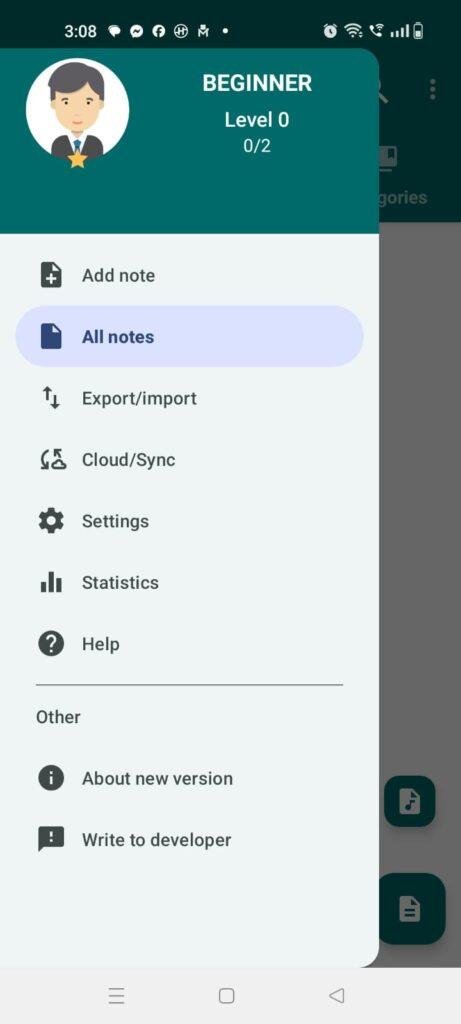
- Dual Note-Taking Modes: The application lets you choose between instant speech recognition that transforms your words into written text, or simple raw audio recording that saves your exact voice files to listen to later.
- Custom User Categories: You can create an unlimited number of custom folders and label them with bright color tags, making it incredibly simple to separate your work reminders from personal grocery lists.
- Integrated Reminder System: Every voice note can be paired with an individual time alert or vibration notification, which can be synced directly with your system calendar so you never miss a task.
- App Storage Flexibility: The settings panel gives you complete control over your file path, letting you select whether heavy audio notes are stored on the phone’s internal storage or sent to an external memory card.
- Security Password Protection: If you use the app to log private daily reflections or sensitive data, you can toggle on a simple password lock screen to prevent unauthorized eyes from opening your logs.
Pros & Cons
What I Liked
- The installation file size is exceptionally small, which keeps your phone storage free for other apps and media.
- It allows for complete offline speech recognition as long as your phone has the default Google voice files installed.
- The layout is incredibly clean and does not force you to sign up for an account just to type or record notes.
What Could Be Better
- The text formatting tools are very basic, making it difficult to create structured lists or bullet points using your voice.
- The banner advertisements at the bottom of the screen can disrupt the look of the custom color themes.
- The home screen widget takes a brief moment to wake up the microphone, which feels slow when you are in a rush.
Industry Comparison (The Competitor Matrix)
When to choose Voice Notes by Gawk vs Competitors
- Voice Notes vs. Modern AI Second Brain Apps (Voicenotes.com): Choose Voice Notes by Gawk if you want a simple, lightweight, traditional notepad that works completely offline without monthly subscription fees. Choose AI alternatives if you want automatic summaries and a chatbot that answers questions about your past recordings.
- Voice Notes vs. Google Keep: Choose Voice Notes by Gawk if you want detailed control over audio recording quality settings and direct options to store files on an external SD card. Choose Google Keep if you want to sync your text notes across desktop browsers and share live collaborative checklists with other users.
- Voice Notes vs. Standard Built-in Voice Recorders: Choose Voice Notes by Gawk if you want your voice tracks instantly transcribed into searchable text and organized into neat color-coded categories. Stick to your stock phone recorder if you only care about saving raw, high-fidelity sound files without any text conversion.
Audience Recommendations
Who Should Install It?
- Busy On-The-Go Multitaskers: If you frequently find your hands full with groceries, driving, or physical work, the simple one-tap voice capture will save you tons of time.
- Users with Limited Storage: People running budget phones with minimal disk space will appreciate the tiny installation size and the ability to move files directly onto an SD card.
- Privacy-Conscious Individuals: If you dislike cloud syncing and want your personal thoughts kept strictly on your physical phone, the guest-only setup is perfect.
Who Should Skip It?
- Advanced Document Editors: If you need to format your text notes with heavy bolding, detailed tables, headers, or bullet lists, this app will feel far too basic.
- Cross-Device Desktop Workers: If you need to instantly view and edit your phone notes on a Windows PC or a Mac computer without manually sharing the files via email, you should look for a cloud-based note suite.
Common FAQs
- Can I use this application to transcribe voice notes if I am completely disconnected from the internet?Yes, the app can run its speech recognition engine completely offline, but you must ensure that your phone has the local offline language packs installed and updated within your default Android voice input settings.
- Will I lose all my saved text logs if I accidentally clear the application cache folder?No, clearing out the temporary cache folder through your phone settings will only remove small temporary view files, while your actual text notes and audio recordings remain safely stored in your permanent local database directory.
- Is there a built-in search feature to find a specific note out of a long list?Yes, the application features a prominent text search bar at the top of the menu that allows you to instantly filter through your entries by typing a specific word or phrase found inside the note text.
Official Store Access
Please verify your smartphone hardware permissions and local language pack availability directly on the official store listing pages before completing your device setup.
The offzack.in Final Verdict
Voice Notes by Gawk is a fantastic, lightweight tool for anyone who wants to quickly dump their thoughts into their phone using their voice without dealing with complex cloud accounts. It opens fast, treats your local storage with respect, and handles basic offline transcription reliably. However, if you require advanced text layout formatting, cloud backups, or instant desktop cross-syncing, this app will likely feel too simple, and you should consider a full-fledged cloud productivity suite instead.
Final Scorecard
- Ease of Use [4.2/5]: The interface is clean, straightforward, and lets you start recording your voice with a single tap on the screen.
- Speed & Performance [4.5/5]: It runs flawlessly on the Moto G85, opening instantly and keeping the phone completely cool during long dictations.
- Features [3.8/5]: The custom categories and calendar sync work beautifully, though the lack of advanced text formatting tools is noticeable.
- Privacy & Safety [4/5]: Your notes are kept local to your device and guest access requires zero login credentials, but the ad layer shares standard identifiers.
- Value for Money [4.2/5]: The free version provides immense daily utility for absolute zero cost, making the occasional bottom banner ad easy to look past.
- Overall offzack.in Score: [4.1 / 5]