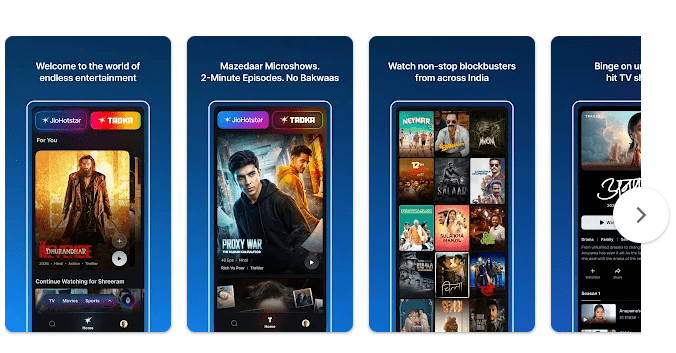
JioHotstar is a video streaming app for Android phones and tablets. It brings movies, TV shows, web series, cricket, other sports, and kids’ content into one app.
The biggest reason to use it is variety. You can watch Indian shows, Hotstar Specials, Disney content, and selected international content from services such as HBO, Peacock, and Paramount. The app also supports multiple profiles and downloads for offline viewing on supported content.
JioHotstar is free to download, but much of the content needs a paid plan. The app has Mobile, Super, and Premium tiers, with monthly options starting at ₹79 according to the latest plan update.
How It Compares to Other Apps
Compared with Netflix and Amazon Prime Video, JioHotstar gives you a stronger mix of Indian entertainment and live sports. Netflix costs more at higher quality levels, while Prime Video has its own movies, shows, and shopping-related benefits. JioHotstar can be a cheaper choice if you mainly want cricket, Indian shows, and a large mix of entertainment in one place. User discussions also show mixed opinions about video quality, with some viewers preferring Netflix and Prime Video for picture quality.
Key Tools Explained
- Live sports: Cricket and other sports are a major reason to install the app. Live matches are easy to find from the home screen.
- Movies and shows: The app has Indian movies, TV content, web series, and international titles. This gives users many things to watch without moving between several apps.
- Downloads: Some titles can be downloaded to the device. This is useful when travelling or when your internet connection is weak.
- Multiple profiles: The app supports up to seven profiles. Family members can keep their watch history separate.
- Search and reminders: Filters and category tabs help find content faster. You can also set reminders for selected upcoming content.
Two Days of Testing
I used JioHotstar on a Redmi Android phone for two days. The app opened quickly, and the home screen loaded without long waiting times.
I tested browsing, searching, watching shows, and moving between different sections. Screen changes were mostly smooth, and I did not face any major crashes during normal use.
The phone did not get unusually hot while browsing or watching short videos. Long streaming sessions can still use a fair amount of battery, especially with high video quality and mobile data.
My test experience was good, but online users have reported different problems. Recent discussions mention download issues and complaints about uneven video quality, so your experience may depend on the phone, internet speed, and app version.
Memory, Storage, and Safety
The exact Android download size can change by phone, Android version, and Play Store update. The app can also grow much larger after caching videos and downloading content, so users should keep extra free storage.
For comparison, the current iPhone listing shows a size of about 172.4 MB. The Android version may not use the same amount of space, so it is best to check the Play Store before installing.
Offline viewing is available for supported titles, but downloaded videos take up device storage. The app may request permissions related to notifications and storage or media access when features such as downloads are used.
For privacy, it is worth checking the Play Store Data Safety section and reviewing permissions before allowing access.
Upsides and Downsides
Pros
- Large collection of movies, shows, and sports.
- Good choice for cricket fans.
- Offline downloads are available for supported content.
- Multiple profiles help families share one account.
- Monthly plans give users more payment choices.
Cons
- Some good content needs a paid plan.
- Downloaded videos can use a lot of storage.
- Video quality may not feel equal on every title.
- Some users have reported download problems.
- Battery use can increase during long streaming sessions.
Who Should Get It?
Recommended For
- People who watch cricket, Indian shows, and movies often.
- Families who want different viewing profiles in one app.
Not Recommended For
- People who only want free entertainment.
- Users with very little phone storage or limited internet data.
3 Quick FAQs
Is JioHotstar free?
The app is free to install, and some content may be available without a paid subscription. Many movies, shows, and premium features require a suitable plan.
Can I watch videos offline?
Yes, supported titles can be downloaded to your device. You need enough storage space, and some download limits may apply.
Is JioHotstar better than Netflix?
It depends on what you watch. JioHotstar is a better fit for many sports and Indian entertainment fans, while Netflix may be preferred by users who care more about its original shows and picture quality.
Offzack Verdict
JioHotstar is a good streaming app for people who want sports, Indian entertainment, movies, and web shows in one place. My Redmi testing was smooth, with no major crashes or unusual heating. Still, the app can use plenty of storage after downloads, and some users have reported quality and download problems. Check the plan carefully before paying, but for regular cricket and entertainment viewers, it offers good value.
Download JioHotstar on Google Playstore
Final Scorecard
- Ease of Use: ★★★★☆ (4/5) — The main sections are easy to understand and search works well.
- Performance: ★★★★☆ (4/5) — Smooth during testing, though some users report download and quality issues.
- Features: ★★★★½ (4.5/5) — Sports, downloads, profiles, reminders, and a large content library give users plenty to use.
- Privacy & Safety: ★★★½☆ (3.5/5) — Users should review permissions and data settings before allowing extra access.
- Value for Money: ★★★★☆ (4/5) — The lower-cost monthly options make it easier to choose a plan that fits your budget.
- Overall Rating: ★★★★☆ (4/5) — A strong choice for sports and entertainment, with a few quality and download concerns.