If you have spent any time browsing tech forums or scrolling through productivity feeds lately, you have probably noticed a massive wave of social media hype around all-in-one digital assistants. The internet is absolutely flooded with videos and posts showcasing tools that claim they can handle your writing, answer search questions, translate languages, and read complex documents all from a single mobile interface. It seems like every productivity creator is pitching these apps as the ultimate shortcut for saving time during your daily routine.
However, as a regular smartphone user, I always worry when a utility category relies this heavily on social media hype. Far too often, apps that trend online turn out to be clunky, unoptimized web shortcuts that freeze up your device or lock their most basic functions behind steep paywalls after a few hours. I decided to install Monica (listed on the Play Store under package name im.monica.app.monica) to see if it lives up to the online noise. Monica positions itself as a versatile chat companion powered by multiple underlying text engines, offering real-time web search, voice options, and document reading tools. I spent two full days testing it out during my normal routine to see if it remains a practical utility or if it is just another overhyped tool.
My Phone Testing Setup
I installed the official package directly onto my Moto G85 running Hello UI based on Android 14. To ensure my findings match what an everyday user would experience, I monitored the application across a continuous 2-day testing window while carrying out my standard daily workflows. I shifted my internet connection style between standard home Wi-Fi networks and a capped mobile data connection during my daily transit blocks. I intentionally left my usual background applications active—including communication tools, local navigation suites, and background music layers—to see how the software handles regular multitasking routines.
Real-World Hands-On Analysis
Quick Web Research on a Commute
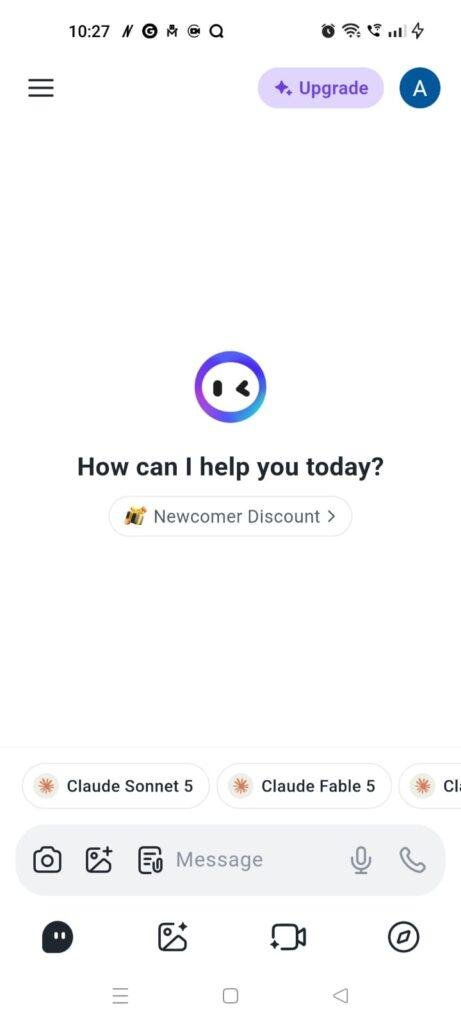
I opened the application while riding in a local auto-rickshaw to test its web search integration over a shaky mobile data network. I prompted the assistant to find recent local travel tips and summarize the key safety guidelines for a weekend road trip. The input block accepted my typing instantly, and the processing layout successfully pulled live links from the web, formatting a numbered summary list in under a few seconds. The interface updated cleanly without freezing, even when my phone’s cellular signal dropped by a few bars during the transit route.
Processing a Long Document at My Desk
While sitting at my desk in the evening, I tested the app’s document reading feature by uploading a multi-page article saved as a PDF file. Locating the file attachment icon took just a single tap, and the app read the document layout steadily without crashing or locking up my screen. I asked it to summarize the core argument in three simple sentences, and it generated a clear bulleted checklist on my screen. The text font was highly readable, allowing me to review the complex information quickly without having to pinch-and-zoom across a tiny page layout.
Casual Voice Mode Testing Before Bed
I tested the voice conversation feature late at night to see how comfortably it handles vocal inputs in a quiet room. Tapping the microphone button opened a dedicated audio screen that translated my spoken words into text prompts in real time. The app’s voice engine responded with clear, human-sounding speech lines with minimal delay, displaying the written text alongside the audio playback. The screen brightness adapted properly to my dark bedroom, letting me ask casual organizational questions without forcing me to tap a physical keyboard.
App Permissions & Device Safety
To handle multi-media uploads and voice options, the application triggers a few hardware access requests on your smartphone screen. Here is the objective breakdown of these settings encountered during my 2-day evaluation window, presented as Bulleted Checklists:
- Microphone Access:
- Status: Requested the first time I tapped the voice interaction bubble.
- Why it is needed: Essential for the voice mode feature. It captures your vocal audio track locally so the app can send it to cloud servers to translate it into a text prompt.
- Photos, Videos, and Files Access:
- Status: Requested when using the image scanner or document uploader.
- Why it is needed: Allows the application to browse your internal folders so you can select local files, PDFs, or photos that you want the assistant to read or analyze.
- Camera Access:
- Status: Requested only if you take a live photo within the app workspace.
- Why it is needed: Used to snap real-time pictures of documents or physical objects so the app can scan the text details directly without manual typing.
- Network and Internet Permissions:
- Status: Enabled automatically upon installation.
- Why it is needed: Absolute necessity. Because all language modeling, research indexing, and text processing happen on external cloud servers, the app cannot generate answers if your phone loses network access.
Speed & Everyday Performance
The responsiveness of a digital assistant is incredibly important because any lag can quickly ruin your writing or research flow. Here is how Monica performed across everyday usability metrics during my 2-day testing window, organized as a Bulleted Checklist:
- Download & Install Time: The application package pulls down under a few seconds on an ordinary mobile network and extracts its base files onto your phone storage instantly.
- Setup Speed: Takes around 1 minute to complete. You can sign in using a standard email or link an existing profile, skipping past introduction screens quickly.
- Menu Smoothness: Switching between the home chat screen, previous history logs, and the specialized web tools tab feels lightweight and snappy, with no sudden interface jittering.
- Memory System Load: Holds its place well during multitasking routines. Minimizing a long chat to reply to an instant message doesn’t cause the app to refresh or drop your current text draft when you return.
- Active Battery Drain: Casual text conversations use very little battery power. However, running deep web searches or leaving the voice mode active for long windows pulls more power, lowering your battery percentage noticeably over half an hour.
- Device Warmth: The back plate of my Moto G85 remained completely cool during simple typing tasks, only turning mildly warm to the touch during continuous document uploads or heavy image processing.
- Background Stability: The application proved stable over my 2 days of testing, showing no unexpected app closures, frozen loading loops, or broken button elements.
Storage Space & Cache Build-Up
When I first grabbed Monica from the application storefront, the initial download size was highly reasonable, taking up around 45 MB to 55 MB of space. However, once the software uncompressed its core asset packages and initialized its user interface folders, the total expanded disk footprint on my phone’s settings page registered at approximately 130 MB. This is a very common size for modern cloud-based assistants, as they don’t need to host heavy AI processing models locally on your hardware.
Over my 2 days of active testing, the application’s data folder gathered an extra 25 MB of temporary cache files. This build-up expands because the app saves small snippets of your text history, chat avatars, and compressed thumbnail previews of your document uploads locally so they open faster the next time you browse your logs. If you use the application heavily for work or school tasks over a couple of weeks, this cache folder will expand steadily, so it is a smart idea to clear it out manually through your system settings if your internal storage starts getting tight.
Battery Life & Daily Warmth
My power monitoring charts showed that Monica is well-behaved during standard, short check-ins. A typical 15-minute session of asking quick questions, proofreading short paragraphs, and translating text strings consumed roughly 3% of my total battery. When the app is closed and left on standby, it drops into a quiet state, causing no background power drain.
The physical temperature of the phone scales directly with the complexity of your prompts. If you stick to basic text chatting, the device stays completely cool to the touch. However, if you trigger the deep search tool or upload large files consecutively, the internal modem and processor work harder to stream the data blocks, causing the area near the camera lens to feel mildly warm to the touch within ten minutes.
offzack.in Quick Tip: To optimize your battery life while using Monica for long research sessions, navigate to the app settings panel and turn off the live voice playback option if you are only reading the text responses. This stops your phone’s audio hardware from drawing extra power after every message.
Network Needs & Data Usage
Because Monica functions entirely as a cloud-dependent digital assistant, its data footprint varies significantly depending on how you use its features:
- Initial Setup Access Cost: Low, requiring less than 15 MB of data to verify your account profile and load the main menu layout.
- Daily Usage Data Footprint: Pure text queries use minimal data, typically under 30 KB per turn. However, running deep web searches that scrape multiple online articles, or uploading large PDF files, can easily consume 3 MB to 8 MB per session.
- Additional Asset Downloads: The app updates its interface paths dynamically over the network, meaning you won’t face forced, massive asset downloads after a standard store update.
- Offline Support: None. The application has absolutely zero offline functionality. If you switch your phone into airplane mode or lose your connection while traveling through a remote area, the chat box locks up completely and displays a network error. You cannot browse past conversation histories or edit text drafts without an active internet connection.
Monetization & User Security Review
The monetization framework of Monica utilizes a traditional freemium model that draws a sharp line between casual and heavy professional usage. The free tier allows you to message the assistant and utilize basic search and writing features without any flashing third-party banner ads or unskippable countdown commercials disrupting your workspace. However, your daily access is controlled by a strict token or credit pool that resets every 24 hours. If your daily workflow requires advanced language engines, high-speed image generation queues, unlimited document uploading space, or extended multi-stage research modes, you will quickly hit a clear premium paywall prompting you to subscribe to a monthly or yearly membership plan.
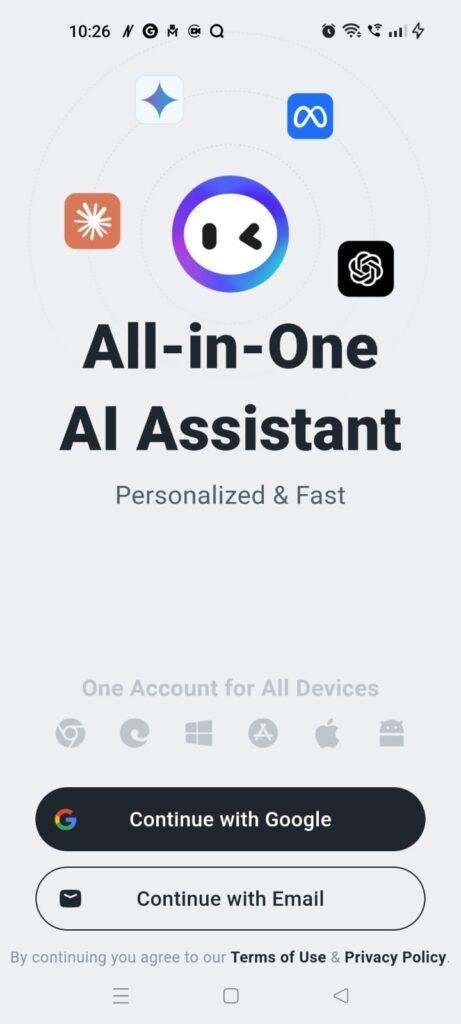
On the security and profile protection front, the application requires you to create an account using an email link or a social login right from the start, leaving no option for clean guest access. According to the developer’s official storefront Data Safety disclosure, user logs and account credentials are encrypted in transit, and the app provides an accessible option for users to request total data deletion through their profile menu. Because your chats and document uploads are processed on external cloud servers to build responses, tech-conscious users should always avoid pasting highly sensitive personal security pins or private financial records into the chat field.
Mistakes I Noticed During Testing
While the application features a very clean layout design, I ran into three specific mechanical bugs, interface errors, and design flaws during my 2 days of hands-on usage:
- The Keyboard Overlay Block: When typing long prompts that exceed three or four lines of text inside the chat box, the native mobile keyboard occasionally overlays directly on top of the text entry field. This makes it impossible to see the bottom lines of what you are typing unless you manually minimize the keyboard to check your work.
- The File Upload Freeze: While trying to upload a standard text document on a spotty mobile network, the attachment bar got completely stuck at 99%. Instead of displaying a clear “upload failed” warning or retrying the connection, the interface stayed frozen in a loading state, forcing me to swipe the app away from my system tray to reset the screen.
- History Log Stutter: When scrolling backward through my older conversation logs from the previous day, the interface experienced a noticeable layout stutter. The screen would freeze for a brief second to fetch old messages, occasionally jumbling the chronological order of the message bubbles for a moment before updating.
Main Features Explained
- Multi-Engine Chat Access: Combines access to different underlying conversational models inside a single text box, letting you switch between standard speed modes and advanced reasoning presets depending on your task.
- Real-Time Web Search Integration: Bridges the gap between static training data and live current events by fetching live search links from the internet to supply sourced answers for timely questions.
- Smart Document Summarizer: Features a dedicated file upload room where you can drop long PDF articles, text documents, or spreadsheets, allowing the assistant to read the file and extract core insights quickly.
- Integrated Voice Translation Panel: Features a responsive audio transcription room that captures your spoken sentences and translates them into written text inputs, allowing for natural hands-free conversations.
- Creative Writing Toolbar: Offers specialized shortcut buttons designed to help you quickly draft emails, proofread grammar mistakes, or alter the tone of your text files from formal to casual formats.
Pros & Cons
What I Liked
- Clean and Ad-Free Workspace: The complete absence of blinking third-party ads and intrusive commercials keeps your research screens tidy and distraction-free.
- Versatile Document Handling: The ability to read, search, and extract facts from uploaded PDF files works smoothly and saves a massive amount of reading time.
- Fast Response Speeds: Standard text questions generate replies under a few seconds, keeping your creative workflow moving along without long pauses.
What Could Be Better
- Frustrating Keyboard Layout Bugs: The text field getting covered by the mobile keyboard during long prompts causes unnecessary typing friction.
- Strict Free Tier Limitations: The daily credit pool for free accounts runs out quickly if you use advanced models or deep search tools, creating strong upgrade pressure.
- Total Lack of Offline Access: The inability to open the application to read through past chat transcripts or review saved summaries when completely offline is a major downer for mobile commuters.
Industry Comparison
Understanding how Monica positions itself against alternative choices helps clarify its practical value. Here is the head-to-head performance layout presented as a Bulleted Checklist:
- When to choose Monica vs ChatGPT:
- Choose Monica if you want specialized, built-in shortcut tools for quick writing tasks, quick web search indexing, and a direct space to drop and read PDF files without switching apps.
- Choose ChatGPT if you prefer a highly mature interface layout, require advanced vocal conversations with zero screen layout bugs, or want a larger pool of completely free daily text messages.
- When to choose Monica vs Claude:
- Choose Monica if your daily work involves gathering live, current information from the internet or requires quick assistance with brief writing summaries.
- Choose Claude if your absolute highest priority is deep, complex literary analysis, processing massive multi-thousand-word creative stories, or handling incredibly nuanced programming code logic.
- When to choose Monica vs Microsoft Copilot:
- Choose Monica if you prefer a lightweight, clean application dashboard that focuses strictly on chat assistance without pushing commercial news feeds or heavy search engine tracking widgets.
- Choose Microsoft Copilot if you want unlimited free access to specific advanced engines and require deep integration with corporate workplace software suites.
Audience Recommendations
Who Should Install It?
- Students and Online Researchers: Perfect for individuals who regularly need to read long articles, summarize heavy PDF text files, and gather sourced information from the web.
- Casual Content Creators: Ideal for bloggers and writers looking for a fast, ad-free toolbar companion to proofread grammar, rephrase sentences, or brainstorm content ideas.
Who Should Skip It?
- Budget-Strict Power Users: Anyone who expects to run heavy AI reasoning tasks all day long without paying a subscription will find the free tier’s daily credit caps far too restrictive.
- Commuters with Poor Network Access: If your daily travel routine takes you through remote zones or subway tunnels with spotty data service, the total lack of offline reading makes this app tough to use.
Common FAQs
Will my historical chat logs be preserved if I switch my profile from an Android phone to a computer web browser?
Yes, because all of your text conversations, uploaded documents, and customized preferences are tied directly to your centralized cloud account, your complete history will sync instantly across all platforms the second you log in.
Can I utilize Monica entirely as a guest without linking a personal email address?
No, the application forces an account creation step upon its very first boot sequence, meaning you must link a verified email or a social profile to access the chat dashboard.
Does the app include a built-in image creator tool alongside its text features?
Yes, the application features an integrated graphic module that allows you to type out visual prompts to generate high-resolution art designs and images directly inside your chat threads.
Official Store Access
The software feature builds and operational background privileges can vary depending on individual marketplace updates and regional application distribution rules.
Monica can be downloaded across major smartphone operating systems. You can retrieve the official mobile build through the Monica listing on the Google Play Store or find the corresponding version over the Apple App Store for iOS systems.
The offzack.in Final Verdict
Monica functions as an incredibly clean, versatile digital assistant that excels at summarizing documents and gathering sourced information from the web. If you have a steady mobile data plan and want a streamlined, ad-free environment to speed up your reading and writing workflows, you should absolutely download it today. However, if you are a heavy user who cannot stand strict daily message limits or need an application that lets you read your past saved summaries when completely offline, you should skip it and stick to standard, unlimited text options instead.
Final Scorecard
- Ease of Use [3.9/5]: The interface looks clean and is simple to navigate, but minor layout bugs like the keyboard covering the text input field create occasional typing friction.
- Speed & Performance [4.4/5]: Text lines populate the screen under a few seconds and menu transitions feel very snappy on mid-range hardware.
- Features [4.6/5]: Offers a fantastic mix of tools, including multi-engine options, web search integration, responsive voice mode, and a highly capable PDF reader.
- Privacy & Safety [4.0/5]: Uses standard data encryption in transit and provides direct account removal paths, though cloud processing means you must avoid entering sensitive personal keys.
- Value for Money [3.7/5]: The application is completely free of third-party banner ads, but the strict daily credit pool on free accounts runs out quickly under heavy use.
- Overall offzack.in Score: 4.1 / 5