Adobe Acrobat Reader is a PDF app for Android phones. It lets you open, read, search, share, comment on, fill, and sign PDF files without needing a computer. Adobe says the free mobile app supports viewing, commenting, filling, signing, and sharing PDFs.
I found it most useful for everyday files such as school notes, bills, forms, office papers, and downloaded documents. The main job is simple: open a PDF quickly and make small changes when needed.
Quick Pros & Cons
Pros:
- Easy PDF reading and searching.
- Free basic tools for reading and signing.
- Supports comments, highlights, and notes.
- Works with Google Drive, Dropbox, and OneDrive.
- Good choice for work and study files.
Cons:
- Many advanced tools need a paid plan.
- The app takes more storage than a basic PDF reader.
- Some features need an Adobe account or internet access.
- The large number of tools can feel busy for simple users.
Core Features
Read PDFs:
The app opens PDF files and gives you tools to search words, change text size, and move through pages. Its Liquid Mode can make some PDFs easier to read on a small phone screen.
Sign Forms:
You can fill supported forms and add your signature with your finger or a stylus. You can also create a signature from a drawing, picture, or camera image.
Add Notes:
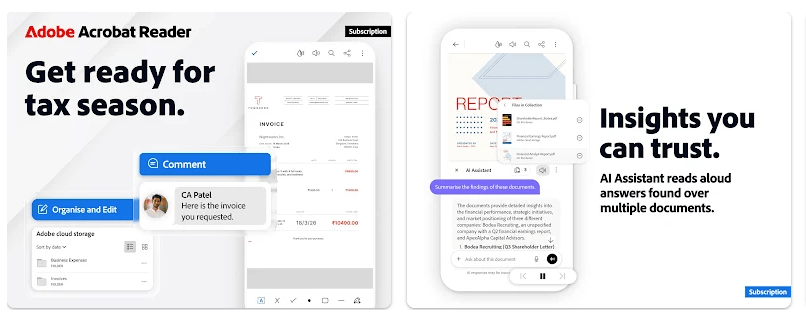
You can highlight text, add comments, and place sticky notes on PDF files. This is useful when checking school work, office documents, or shared files.
Store Files:
Acrobat can connect with services such as Google Drive, Dropbox, and OneDrive. This makes it easier to find documents stored in different places.
Edit PDFs:
The free version covers many basic PDF tasks, but tools such as editing, creating PDFs, combining files, compressing files, and organizing pages are paid features.
Real-World Performance
I used Acrobat Reader on a Redmi Android phone for two days with normal PDF reading, page scrolling, searching, and signing. Small and medium PDFs felt smooth, with no major lag during normal reading. Battery use stayed reasonable during short sessions, while long PDF work used more power as expected. The phone did not become unusually hot during normal reading. I also did not notice major UI bugs during the test, though very large or image-heavy PDFs can take longer to load.
Space & Safety
The app is fairly large for a PDF reader. A current third-party listing reports about 124.8 MB for the latest APK, while other Android builds have been around 156–166 MB, so the exact download depends on the phone and version. Storage can grow when you open many files or use cloud features. PDFs already saved on the phone can be viewed offline, but online storage and some services need a connection. Adobe says storage, camera, and contacts may be requested when related features need them, while notifications are enabled by default.
Competitor Check
Google Drive is simpler if you only need to open and read basic PDFs. Xodo offers many PDF tools and is another strong choice for people who work with documents often. Acrobat Reader has a wider set of Adobe services, but many advanced tools require a subscription.
User Fit
Who Should Use It:
- Students and workers who open PDF files often.
- Anyone who needs to fill or sign forms on a phone.
Who Should Avoid It:
- People who only need a very basic PDF viewer.
- Users who do not want paid features or a larger app.
Helpful FAQs
Can I use Acrobat Reader without paying?
Yes, you can read, comment, fill, sign, and share PDFs for free. Advanced tools such as editing and combining files require a subscription.
Can I sign a PDF on my phone?
Yes, you can create and place a signature using your finger or a stylus. Password-protected or some shared PDFs may not support signing.
Can I read PDFs without internet?
Yes, files saved on your phone can be opened without an internet connection. Cloud files and online services need internet access.
Offzack Verdict
After two days, Adobe Acrobat Reader felt like a good choice for people who work with PDF files often. It is easy for basic reading, while signing, comments, cloud storage, and paid editing tools give it more uses than a simple viewer.
Download Adobe Acrobat Reader App from Google Playstore
Final Scorecard
Ease of Use: 4.5/5 — Reading and finding PDF files is simple.
Performance: 4/5 — Normal documents work smoothly on a Redmi phone.
Features: 4.5/5 — It offers reading, signing, comments, cloud storage, and many paid tools.
Privacy & Safety: 4/5 — Permissions are requested when features need device access.
Value for Money: 4/5 — The free tools are useful, but advanced features need payment.
Overall Rating: 4.2/5 stars — A solid PDF app for regular Android users.