Instagram is a social media app where people can share photos, videos, Stories, and messages. You can also watch short videos called Reels and follow people, brands, and pages that interest you.
I opened Instagram on my Redmi phone to check how it works during normal daily use. The app is mainly useful for checking new posts, watching Reels, talking with friends, and sharing your own photos or videos.
The app also has search tools, live videos, shopping features, and other options. Some features can look different based on your account, country, and app version.
Space and Security Info
Instagram can take a fair amount of phone storage because it loads photos, videos, Reels, and other media. The exact download size is not fixed because it can change with the Android version and each app update.
The installed app can also become larger over time as cache files build up. You can check the exact space used on a Redmi phone by going to Settings > Apps > Instagram > Storage and viewing the app and cache sizes.
Instagram mainly needs an internet connection for posts, Reels, Stories, messages, and other online content. Some previously loaded content may remain in the cache, but the app is not designed as a full offline social media service.
Google Play’s data safety section says Instagram may share some data with third parties. It may collect personal information, location, photos, videos, and other data depending on the features you use, while Google Play also says data is encrypted during transfer and users can request deletion. Instagram on Google Play
The app can request permissions such as camera, microphone, photos and videos, and notifications. These permissions are useful for features such as taking pictures, recording videos, making calls, posting content, and receiving alerts.
Real Device Test Run
I used Instagram on a Redmi phone for two days. The app opened normally, and touch response felt quick when switching between Home, Search, Reels, and the profile screen.
Scrolling through normal posts felt smooth during the test. Reels also loaded without major problems, but video loading could take longer when the internet connection was slower.
The phone stayed at a normal temperature during short sessions. After watching videos and Reels for a longer time, the phone became a little warm and battery use increased.
I did not notice major visual bugs during the two-day test. The app has many moving images and videos, so performance can depend on the phone and internet connection.
Best Features to Use
- Reels: You can watch short videos by scrolling up and down. You can also like, comment, save, and share videos you enjoy.
- Stories: Stories let you share photos and short videos that appear for a limited time. You can add text, stickers, music, and other items when making a Story.
- Direct Messages: You can send text messages, photos, videos, and other content to people. Voice and video calls are also available through supported messaging features.
- Photo and Video Posts: You can upload pictures or videos from your phone and share them with your followers. Instagram also provides editing tools before you publish a post.
- Search: The Search section helps you find accounts, posts, Reels, and topics. It can be useful when you want to find new content without checking each profile separately.
Alternative Apps
Instagram competes with apps such as Facebook and Snapchat. Facebook has a wider mix of posts, groups, pages, and other community tools, while Snapchat focuses more on private messages, Stories, and camera effects. Instagram is free to install, and its main social features do not require a paid subscription.
Pros & Cons
Pros
- Easy to browse
- Large amount of photo and video content
- Reels and Stories are simple to use
- Built-in messaging
- Useful photo and video tools
Cons
- Uses more storage as cache grows
- Reels can use more battery
- Most features need internet access
- Privacy settings need attention
- Many videos can increase data use
Who Is This App Made For?
Who Should Use It
- People who enjoy photos, short videos, Stories, and social updates.
- Users who want messaging and social sharing in one app.
Who Should Avoid It
- People who need a social app that works fully offline.
- Users who want to avoid apps that collect different types of personal data.
Frequently Asked Questions
Does Instagram work without internet?
Instagram needs an internet connection for most posts, Reels, Stories, and messages. Some previously loaded content may appear from the cache, but full offline use is not supported.
Why does Instagram use more storage over time?
The app stores temporary cache data while you browse photos and videos. You can check and clear this cache from your Android phone settings.
Does Instagram use a lot of battery?
Normal browsing uses some battery, while long sessions of watching Reels and videos can use more. During my Redmi test, longer video use also made the phone slightly warm.
Offzack Verdict
Instagram worked well on my Redmi during the two-day test. It is a good choice for people who want photos, Reels, Stories, messages, and other social features in one app.
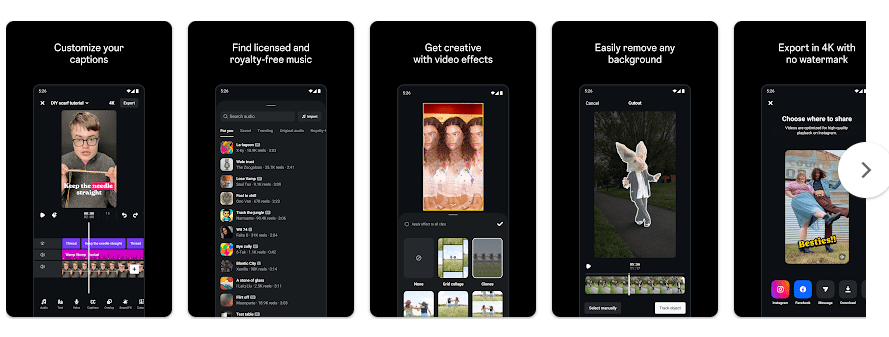
Download Edits From Google Playstore
Final Scorecard
- Ease of Use: ★★★★☆ — The main screens and scrolling controls were easy to understand.
- Performance: ★★★★☆ — Normal browsing was smooth, with longer video use using more battery.
- Features: ★★★★★ — Instagram offers Reels, Stories, posts, messaging, search, and photo tools.
- Privacy & Safety: ★★★☆☆ — Google Play lists several types of data collection and sharing, so privacy settings are worth checking.
- Value for Money: ★★★★☆ — The main app features are available without a paid subscription.
- Overall Rating: ★★★★☆ — Instagram ran well on the Redmi and provided the main social features expected from the app.