Brave Browser is an Android web browser made for people who want to browse websites with more privacy tools. It can be used to open websites, search the web, watch online content, and save pages like other mobile browsers.
The main reason I used Brave was private web browsing. The browser includes tools that can block ads and trackers, and it also has private browsing options. These tools can be useful when you do not want websites to track as much of your browsing activity.
Brave is free to download and use for normal web browsing. It also includes extra services and features, but the main browser can be used without paying.
How Much Storage, Internet, and Battery Does It Need?
The Play Store download size can change with app updates and device settings, so users should check the current size before installing. Brave needs free phone storage for the app and for temporary browser files, such as cached website data. An internet connection is needed for normal web browsing, although some saved browser data can be viewed without loading it again. During my normal use, I did not notice unusual battery drain from Brave.
How Did Brave Perform on a Redmi?
I tested Brave on a Redmi Android phone and it ran smoothly with no major issues. Pages opened normally, and the menus responded quickly when I tapped them.
I also checked the browser while moving between different settings and browsing pages. I did not notice major lag, serious heating, crashes, or strange glitches during the test. The basic controls were easy to find, so I could move around the browser without much trouble.
For everyday browsing, the performance was steady on my phone. Your results can still be different because Android version, phone hardware, network speed, and website type can affect browser performance.
What Main Tools Are Built Into Brave?
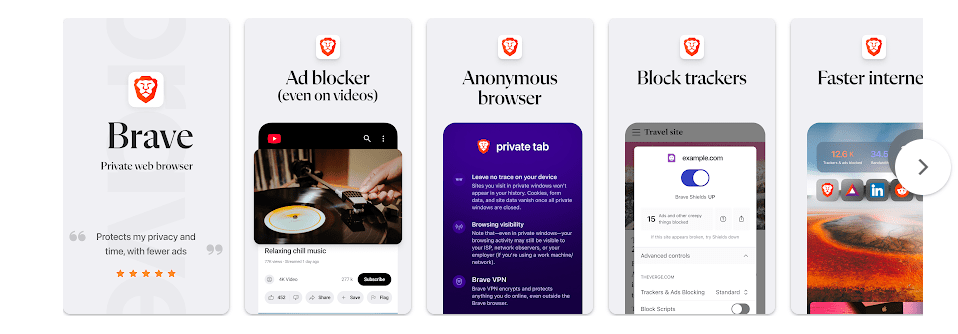
- Ad and tracker blocking: Brave can block many ads and web trackers while you browse. This can make some websites less busy and reduce some unwanted tracking.
- Private browsing: Private tabs let users browse without saving the normal browsing history in the same way as regular tabs. Brave also provides private browsing features designed to give users more privacy.
- Brave Shields: Shields give users controls for blocking certain unwanted web content and trackers. Users can adjust these protections for websites when needed.
- Private search options: Brave provides its own search service that can be used from the browser. This gives users another search option without needing to use a separate browser.
- Tabs and bookmarks: Users can open several websites in tabs and save useful pages as bookmarks. These basic tools make it easier to return to websites later.
What Did I Find in the Privacy Checks?
Brave is built around privacy-focused browsing tools. Google Play’s Data safety section should be checked before installation because the information shown there can change with app updates and developer declarations.
Brave may request permissions needed for browser functions, such as access related to camera or microphone features when a website asks to use them. Permission requests can depend on what you do in the browser. Users should review Android permission settings and allow access only when they need it.
How Is Brave Different From Chrome and Firefox?
Brave, Chrome, and Firefox can all be used for normal web browsing, but their privacy tools and default settings are different. Brave places ad and tracker blocking directly into its browsing experience. Chrome connects closely with Google’s services, while Firefox is known for its privacy controls and browser customization. Brave is free for its main browsing features, so users can try it without buying a browser.
What Are the Positives and Negatives?
Pros:
- Easy to use for normal web browsing.
- Built-in ad and tracker blocking.
- Private browsing tools are easy to access.
- Ran smoothly during my Redmi test.
- Free for basic browser use.
Cons:
- Some websites may not work exactly as expected when blocking features are active.
- Extra browser features may take time to learn.
- The app still needs internet access for normal web browsing.
- Battery and performance results can vary by phone and browsing habits.
Who Should Download This?
Ideal Users:
- People who want private browsing tools and built-in tracker blocking.
- Android users looking for a free alternative to their current browser.
Who Should Skip It:
- Users who need a browser that is closely tied to Google’s services.
- People who do not want to change from their current browser.
Quick Questions Answered
Is Brave Browser free?
Yes, Brave can be downloaded and used for normal web browsing without paying. Some additional Brave services may have separate costs.
Is Brave good for private browsing?
Private browsing is one of the main reasons to use Brave. It also provides built-in tools that can block ads and trackers.
Did Brave work well on Redmi?
Yes, Brave ran smoothly on my Redmi during testing. I did not face major lag, heating, crashes, or glitches.
Offzack Verdict
Brave is a good choice for Android users who mainly want private web browsing tools. My Redmi test was smooth, and the built-in privacy controls make the browser useful for everyday browsing. Users who depend heavily on Google’s browser services may prefer Chrome instead.
Brave Private Web Browser, VPN – Apps on Google Play
Final Scorecard
- Ease of Use: ⭐⭐⭐⭐⭐ — The basic browser controls and menus were simple to use.
- Performance: ⭐⭐⭐⭐⭐ — Brave ran smoothly on my Redmi without major issues.
- Features: ⭐⭐⭐⭐☆ — It offers useful browsing, privacy, and blocking tools.
- Privacy & Safety: ⭐⭐⭐⭐☆ — Privacy-focused tools are a key part of the browser, but users should still review permissions and Data safety details.
- Value for Money: ⭐⭐⭐⭐⭐ — The main browser is free to use and includes several useful privacy tools.
- Overall Rating: ⭐⭐⭐⭐½ — Brave is a practical free browser for users who want private browsing features on Android.