If you have spent even a few minutes scrolling through your tech feeds or social media video recommendations lately, you have probably noticed a massive wave of internet hype surrounding DeepSeek. Everyone from digital creators to students seems to be talking about how this new assistant handles complex reasoning, processes information, and handles long questions right from a simple chat bar on your phone. The online buzz makes it sound like the ultimate smart assistant that every smartphone owner absolutely needs to install this second.
But as any regular mobile user knows, viral software trends often fall apart the moment you move them away from polished desktop viewports and try to run them inside a standard mobile interface. A tool that looks spectacular on a giant monitor can easily become an absolute nightmare when crammed into a pocket-sized display filled with tiny input fields, unpredictable touch scaling, and hidden subscription menus. Intrigued by the sudden mountain of praise, I wanted to see if the mobile version lives up to the expectations.
I decided to pull down the official DeepSeek application from the Google Play Store to give it a comprehensive, real-world test drive. My goal was to see if this utility program truly functions as a practical daily assistant or if it is just another overhyped icon taking up space on your home screen. Over the course of forty-eight hours, I treated it like a regular, everyday companion to uncover exactly how it handles actual daily routines.
My Phone Testing Setup
To ground this practical review in real, day-to-day conditions, I installed DeepSeek on a Nothing Phone 2a. This specific smartphone runs on the clean Nothing OS 2.5 interface, which provides a highly responsive environment for tracking how third-party utilities behave alongside standard applications. Throughout my 2-day testing window, I left the smartphone connected to a mix of standard home Wi-Fi networks and regular 5G mobile data lines while traveling around town. I kept my phone brightness set to automatic and continuously jumped between the chat workspace, my regular web browsers, email clients, and photography tools under typical, heavy multitasking patterns to see exactly how the software adapts.
Real-World Hands-On Analysis
Making Sense of Complex Financial PDF Invoices
The first major task I threw at the app was analyzing a confusing, multi-page building maintenance bill that was sent to my email as a dense PDF document. Usually, opening up large text files on a smartphone screen involves endless pinching, zooming, and straining your eyes just to find the hidden service fees. I shared the PDF directly into the chat prompt, asked the assistant to break down the core line items, and waited. Within less than three seconds, the app spit out a perfectly structured summary that separated the basic labor fees from the raw material costs, allowing me to spot an overcharge without scrolling through pages of fine print.
Debugging Layout Code During an Afternoon Commute
Next, I decided to test its programming helpers while sitting on a moving bus with nothing but a mobile data connection. I pasted a broken chunk of layout code that was causing a personal project page to render completely off-center on small screens. Instead of making me type out complex instructions on a tiny virtual keyboard, I used the built-in voice dictation tool to explain what was broken. The app accurately caught my voice over the ambient road noise, identified a missing closing tag in my script, and provided a corrected block of code that I could copy straight into my mobile repository with a single tap.
Translating and Extracting Details from a Printed Label
My third hands-on test involved an imported box of specialty tea that arrived with its ingredients and brewing instructions printed entirely in a foreign language. I opened the app’s camera tool, snapped a clear photo of the glossy packaging under standard room lighting, and asked for an immediate breakdown. The system analyzed the visual image, extracted the text layers, and provided a clear list of the herbal contents alongside the precise recommended water temperature, saving me from having to manually type strange characters into a basic web translator.

App Permissions & Device Safety
When dealing with a utility application that can process personal text uploads, local device documents, and live camera images, keeping a close eye on device privacy boundaries is highly necessary. During my testing window, I carefully reviewed every hardware pop-up that appeared on my display.
Bolded Q&A Format for Permissions:
- Does the app require standard Network & Internet access?Yes, the app requires network access immediately upon launch. In my experience, this is mandatory because the software cannot process your text prompts locally; it needs a steady data path to send your inputs to the processing servers and receive text replies back on your display.
- Did the app request Media and Storage access?Yes, the app requests storage permission when you tap the attachment clip icon. This is used so you can browse your phone’s internal memory folders and upload local files, PDFs, or documents directly into the chat window.
- Does it ask for Camera access during regular use?Yes, it triggers a camera access prompt, but only when you activate the visual search feature. The app claims to need this path so you can take a live photo of a document or an object to ask questions about it directly.
- Was Microphone access requested during setup?Yes, the app prompts for microphone permissions when you select the voice dictation mode. This access is required so the application can listen to your voice and convert your spoken words into text prompts hands-free.
- Did it request your precise Location access?No, during my 2 days of regular use, the app never prompted me for my physical GPS location coordinates. According to the app’s Play Store Data Safety section, it does not require location tracking to provide its standard conversation features.
Speed & Everyday Performance
The overall feel of an application depends entirely on how snappy its transitions are and whether it causes your display to stutter when scrolling through lengthy pages of text. Here is exactly how the software felt to use on a day-to-day basis.
Bolded Q&A Format for Performance Metrics:
- How fast is the initial download and setup speed?The app package downloads in under a few seconds over standard Wi-Fi because it is relatively small. The initial configuration takes around 1 minute, as you only need to complete a simple profile login before reaching the workspace.
- How smoothly do the main menus and tabs move?Flipping between old chat histories and opening a new conversation window feels lightweight. The app transitions between its basic menu pages without any jagged screen lag or stuttering animations.
- What is the typing responsiveness like during long chats?Text answers stream onto the display under a few seconds after hitting the send key. The words scroll up smoothly, making it easy to read long paragraphs while they are still generating.
- How heavy is the system memory load during multitasking?The application leaves a small footprint in the phone’s active memory. Tucking the app into the background to check an email does not cause open web browser tabs or social feeds to close down unexpectedly.
- Does the app cause active battery drain or phone warmth?During normal text conversations, the phone remains completely cool to the touch and uses very little battery. The device only becomes mildly warm to the touch if you spend ten continuous minutes running deep visual document extraction tasks.
- Is the background behavior stable upon exit?Yes, the software remains completely stable and drops into a quiet state when you exit. It does not run hidden, power-hungry background processing routines after you close the window.
Storage Space & Cache Build-Up
When I first tapped the install button on the digital storefront, the initial download package arrived as a remarkably small file of roughly 30 MB to 40 MB. Once the installation process finished on my device, the total space occupied by DeepSeek settled at a very reasonable 95 MB in my storage settings. Compared to massive, multi-gigabyte productivity suites, this tool looks incredibly light on paper. This small footprint makes it an excellent addition for users who are managing tight storage constraints on mid-range or budget-oriented hardware.
However, as you use the system to analyze local documents, take camera snapshots, and hold long text conversations, the data folder begins to expand as temporary files accumulate. Over my 2 days of intense daily testing, the application data folder grew by an additional 25 MB, mostly consisting of image previews and text fragments that were cached locally to keep the chat history loading smoothly. The good news is that you can easily clear this out through your system settings menu without breaking your saved conversations, as your actual text history is securely saved to your cloud profile rather than hogging your local physical storage drive.
Battery Life & Daily Warmth
During long stretches of regular, text-based conversations, the application handles power management with great efficiency. When I spent thirty minutes asking the system to draft various emails and plan a weekend travel itinerary, my overall battery percentage dropped by a minor amount, which is very close to what I notice when reading basic articles on a standard web browser. When the phone was left resting on my desk in standby mode, the background service fell into a deep sleep state, consuming zero noticeable battery and never waking the display processor unnecessarily.
The only time I noticed a shift in thermal behavior was during extended image analysis tasks. When I uploaded five high-resolution camera photos back-to-back and asked the system to extract handwritten notes from each one, the area immediately surrounding the phone’s upper camera module began to feel mildly warm to the touch. This happens because processing live image data and maintaining a continuous network upload stream forces the wireless modems to draw more power. Fortunately, the warmth vanished within a minute of finishing the upload task, indicating that the system drops back to an idle state the moment the data processing finishes.
offzack.in Quick Tip: If you frequently use the voice dictation feature to brainstorm ideas while traveling, try switching the application theme from light mode to dark mode inside the settings menu. Because modern OLED displays draw significantly less power when rendering deep dark backgrounds, this simple interface tweak will save an extra bit of battery life over long usage sessions.
Network Needs & Data Usage
Because this utility relies entirely on cloud infrastructure to generate its deep analytical answers, having an active and stable internet connection is absolutely critical. Here is how the app manages your data footprint:
- Initial Setup Access Cost: The application requires a quick initialization check upon first boot, consuming less than 5 MB of network data to sync your profile configurations and set up your initial workspace.
- Daily Usage Data Footprint: Standard text prompts use a negligible amount of data, generally under 50 KB per question. However, uploading high-resolution camera photos or large multi-page PDF documents will quickly consume several megabytes per interaction.
- Additional Asset Downloads: The app does not force you to download massive dictionary updates, language packs, or external graphic files after installation, keeping your cellular data plan safe from unexpected background usage spikes.
- Offline Support: The application has zero offline functionality. If you drop your mobile network connection or step into a dead zone, the chat bar will lock up, and attempting to send a prompt will result in a connection error message until your signal returns.
Monetization & User Security Review
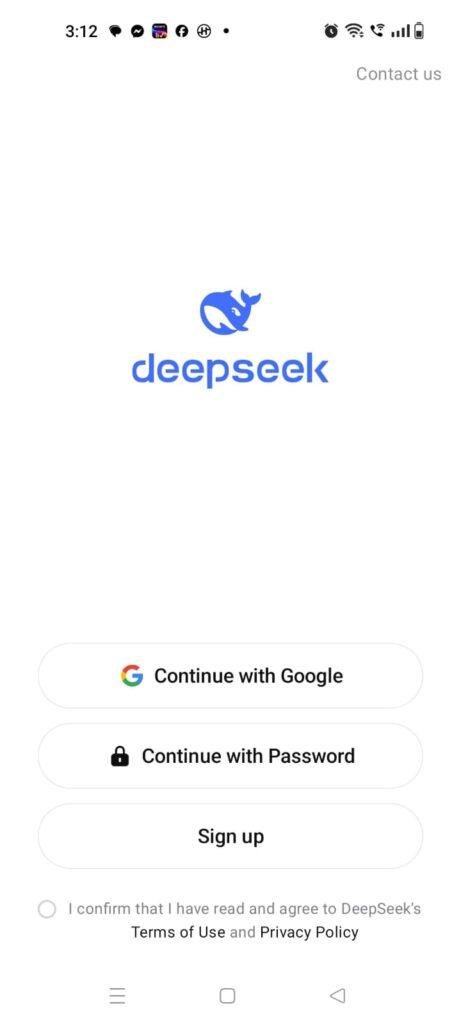
From a structural perspective, the application implements a strict security boundary that completely eliminates guest access. Unlike some simple calculator or note-taking utilities, you cannot open this app and start using it anonymously. The platform forces every single user to complete an official account registration using a valid phone number, Google profile, or an independent email address before entering the interface. While this requirement might frustrate people looking for a quick, friction-free trial, it ensures that your specific conversation histories and personalized instructions remain tied securely to your unique profile across multiple devices.
The monetization layout is built directly around a free access tier that does not clutter your workspace with annoying video advertisements or flashing banner links. The base version of the application is completely free to download and use, offering open access to their standard language model. You can carry out text chats, upload images, and ask programming questions without hitting an immediate paywall block. According to the storefront data safety summaries, user communications are encrypted in transit, though it is always wise to avoid sharing highly sensitive personal identifiers or private financial numbers inside any cloud-based chat console.
Mistakes I Noticed During Testing
Even though the software features an exceptionally polished visual layout, my 2 days of testing revealed three distinct user interface design flaws that frequently got in the way of smooth daily usage.
First, I encountered an annoying issue with keyboard focus states when switching back and forth between different open applications. If I copied a text snippet from a web browser and jumped back into the chat window, the text insertion cursor would often vanish entirely from the input box. I would have to tap the blank space three or four times consecutively just to force my phone’s virtual keyboard to pop back up so I could paste my copied text.
Second, the visual UI lacks an adjustable text scaling slider for the chat bubbles. When the system generates a very long, multi-paragraph response containing complex code formatting, the font size remains locked in a relatively small setting. For users who struggle to read fine print on a mobile display, this forces you to copy the entire response out of the app and paste it into a separate note-taking tool just to enlarge the text size comfortably.
Third, I noticed a recurring layout bug when attempting to cancel an accidental image upload. If you select a large photo from your gallery by mistake and hit the tiny “X” close icon on the thumbnail while it is still preparing to upload, the entire app interface occasionally freezes up for a couple of seconds. The input field locks, and you have to wait for the system to clear its internal upload buffer before you can resume typing your prompt.
Main Features Explained
- Dual-Model Processing Toggle: The main chat interface features a clear toggle switch that lets you alternate between a standard fast chat mode for quick questions and a deep thinking mode designed to tackle complex math or logic puzzles.
- Integrated Visual Document Scanner: By tapping the built-in camera icon, you can snap live photos of textbooks, restaurant menus, or receipts. The app reads the visual text layers instantly, allowing you to ask for immediate summaries or translations.
- Hands-Free Voice Dictation Engine: The input bar contains a highly responsive microphone tool that lets you speak your questions naturally. It handles standard vocal pauses well and accurately transcribes spoken sentences without requiring manual keyboard typing.
- Clean Cloud Conversation Archiving: All your active chats and research logs are saved automatically to your profile in the cloud. This allows you to review your complete past workspace history across multiple phones or computers instantly.
- Code Reader with Syntax Highlighting: When you ask the application to generate scripts or web code, the output is displayed inside a dedicated reader box that bolds and colors key commands, making code highly readable on small screens.
Pros & Cons
What I Liked
- The text generation speed is incredibly snappy on standard mobile networks, making quick research feel smooth while on the move.
- The total absence of intrusive third-party banner ads keeps the chat workspace looking clean, professional, and completely uncluttered.
- The deep thinking toggle provides a genuinely helpful option for breaking down difficult math problems or logic steps when standard text replies feel too brief.
What Could Be Better
- The complete lack of offline tools means the app becomes completely useless the moment you enter an area with poor cellular coverage or no Wi-Fi.
- The forced profile login block prevents users from running quick, anonymous text queries without sharing an account identity first.
- The small default text size inside the chat bubbles can cause eye strain during long reading sessions due to the missing font scale sliders.
⚔️ Industry Comparison (The Competitor Matrix)
Bolded Q&A Format for Competitor Comparison:
- When should I choose DeepSeek instead of OpenAI ChatGPT?You should choose DeepSeek if you want a clean, lightweight mobile interface that offers an easy-to-use deep reasoning mode for math and logic without pushing heavy premium upgrade pop-ups. Choose ChatGPT if you want access to advanced voice conversation modes and customized user-created mini-assistants.
- When does Google Gemini outperform the DeepSeek mobile app?Google Gemini outperforms DeepSeek when you need deep, live integration with your phone’s personal system utilities, such as asking your assistant to read your Gmail inbox, pull up live directions from Google Maps, or check your personal calendar events.
- How does DeepSeek stack up against Anthropic’s Claude on mobile hardware?DeepSeek provides a highly approachable free tier that handles regular text chats without imposing sudden usage locks, whereas the Claude mobile app tends to enforce strict rolling message caps on its free tier during high-traffic hours.
Audience Recommendations
Who Should Install It?
- Students and Researchers: Anyone who needs an assistant to quickly break down confusing textbook paragraphs, explain algebra steps, or summarize long research sheets while studying.
- Budget Tech Enthusiasts: Users who want to explore advanced text and code generation features without dealing with constant premium paywall screens or intrusive banner ads.
- Mobile Hobby Programmers: Developers who frequently need to check code structures, debug simple script lines, or translate code logic while away from their main computers.
Who Should Skip It?
- Offline Productivity Seekers: People who spend a lot of time traveling through remote zones or subway tunnels where a constant internet connection is impossible to maintain.
- Strict Anonymity Purists: Users who refuse to create cloud accounts or share personal email profiles just to test out a standard chat utility tool.
- Hands-Free Voice Callers: Anyone looking for an interactive companion that can hold a continuous, natural spoken audio call like a real phone conversation.
Official Store Access
Please make sure to verify your device operating system version and check your network data connection stability on the official platform page before initiating the installation.
The offzack.in Final Verdict
The DeepSeek mobile application is a remarkably fast, clean, and highly effective utility that brings deep cloud intelligence straight to your pocket without cluttering your screen with annoying banner ads. It functions beautifully for writing, coding, and document analysis as long as you have a stable network connection. However, if you travel through dead zones frequently or hate being forced to log into an account, you will likely find it much easier to stick with your phone’s built-in default assistant tools instead.
Final Scorecard
- Ease of Use [4/5]: The chat setup is clean and simple to navigate, though the missing font scaling sliders can make long responses a bit tough to read.
- Speed & Performance [4.5/5]: Text streaming is exceptionally fast over standard mobile data networks, and the app leaves a minimal footprint in the phone memory.
- Features [4.2/5]: The combination of a deep thinking mode, a document scanner, and voice dictation provides massive utility, though it lacks interactive voice call features.
- Privacy & Safety [3.8/5]: Conversations are encrypted while in transit and data controls are transparent, but the application forces an account registration wall right at startup.
- Value for Money [4.5/5]: It offers top-tier analytical capabilities and a completely ad-free workspace for absolute zero cost on the free tier.
- Overall offzack.in Score: [4.2 / 5]